
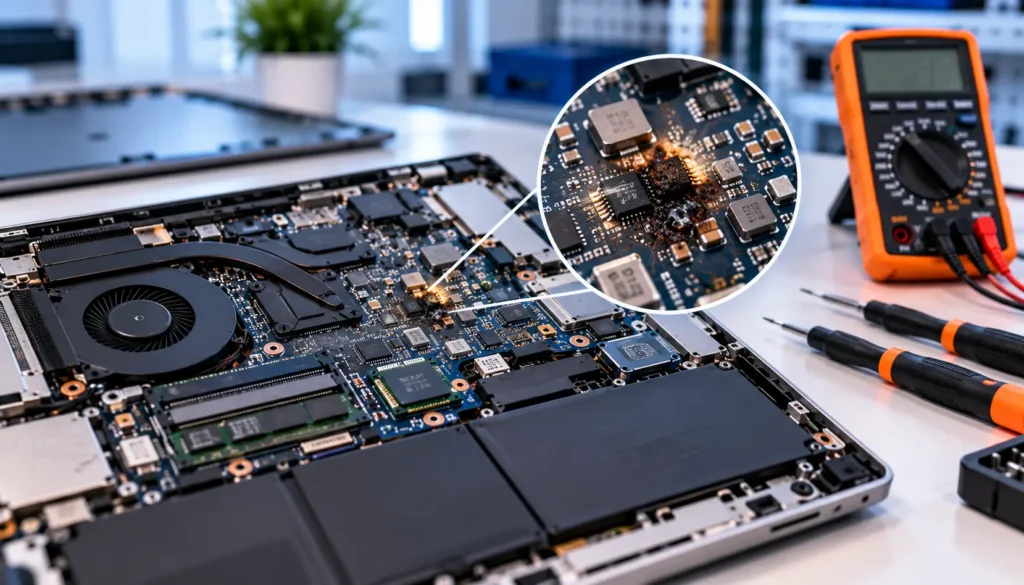
Your laptop suddenly shuts down, refuses to charge, or shows no signs of life when you press the power button. While these problems can have several causes, a laptop motherboard short circuit is one possible explanation. A short circuit occurs when electrical current takes an unintended path, potentially disrupting power delivery and damaging sensitive components.
Liquid spills, faulty power components, electrical surges, and damaged connections can all contribute to this problem. However, a laptop that will not turn on does not automatically have a shorted motherboard.
Understanding the symptoms and possible causes can help you take the right next step without risking further damage.
What Causes a Laptop Motherboard to Short Circuit?
A motherboard contains hundreds of small electronic components and electrical pathways that work together to power your laptop. When one of these components fails, or an unintended connection develops, it can interrupt the normal flow of electricity.
Here are the most common causes.
1. Liquid Spills and Moisture
Water, coffee, tea, and other liquids can create conductive paths between electrical contacts. Even when a laptop appears dry, residue left behind can cause corrosion and electrical faults over time.
Moisture may also damage charging circuits, connectors, and power management components. Continuing to use or charge a wet laptop increases the risk of further damage.
- If a spill occurs, disconnect the charger if it is safe to do so, switch the laptop off, and do not attempt to restart it. Read our guide on mistakes that can make laptop water damage worse for more guidance.
2. Faulty Capacitors or Power Components
Motherboards use components such as capacitors, MOSFETs, and power management integrated circuits to regulate and distribute electricity.
When one of these components fails internally, it may create a short circuit. A shorted motherboard component can prevent power from reaching the rest of the system or cause a protection circuit to shut the laptop down.
The fault may be limited to one small component, meaning a complete motherboard replacement is not always necessary.
3. Incompatible Chargers and Electrical Surges
Using a damaged, poor-quality, or incompatible charger can introduce electrical problems. A power surge may also damage the laptop’s charging circuitry or other components connected to its power input.
Always use a compatible charger that meets the manufacturer’s voltage, current, and connector requirements. A USB-C connector fitting into a port does not, by itself, guarantee that every charger is suitable for the device.
4. Physical Damage or Loose Metal Objects
A laptop that has been dropped, bent, or subjected to pressure may develop damaged circuit traces or connections. In some cases, loose screws or conductive debris inside the laptop can bridge contacts that should remain separate.
These problems are not always visible from the outside. A technician may need to inspect the motherboard and its surrounding components to identify the source.
5. Previous Repairs or Component Failure
Incorrectly installed components, solder bridges, damaged connectors, and poor-quality repair work can also cause short circuits. A fault may appear shortly after a battery replacement, charging port repair, or other internal work.
If the problem started following a repair or upgrade, tell the technician what was changed. This information can help narrow down the possible cause.
What Are the Symptoms of a Shorted Motherboard?
Motherboard short circuit symptoms can resemble other hardware problems, so no single sign confirms the diagnosis. Watch for the following warning signs:
- Laptop will not turn on: Pressing the power button produces no response, even with a suitable power adapter.
- Charging problems: The charging light stays off, or the laptop fails to charge with a confirmed working charger.
- Sudden shutdowns: The laptop switches off unexpectedly or fails to remain powered on.
- Unusual heat: A particular area becomes excessively hot, sometimes even during a brief attempt to power on.
- Burning smell or visible damage: You notice a burnt odour, discolouration, or damaged components.
- Repeated power cycling: The laptop starts briefly, shuts down, and repeats the process.
These symptoms can also indicate a failed battery, charger, charging port, or other component. Proper testing is needed before concluding that the motherboard is shorted.
How Do Technicians Find a Motherboard Short?
Finding the fault involves more than simply checking whether the laptop powers on. Technicians use a systematic diagnostic process to identify the affected circuit and avoid replacing working components unnecessarily.
Step 1: Inspect the laptop.
he technician checks for liquid damage, corrosion, burnt components, damaged connectors, and signs of previous repairs.
Step 2: Check the power input
The charger, charging port, battery connections, and relevant power circuits are assessed to rule out external power problems.
Step 3: Test the motherboard power rail
A motherboard power rail distributes a particular voltage to specific components. Using suitable diagnostic equipment, the technician checks whether a rail has an abnormal electrical path that may indicate a short.
A low resistance reading alone does not always prove a short because some circuits naturally have low resistance.
Step 4: Identify the faulty component
Depending on the fault, the technician may use a multimeter, current-limited testing methods, thermal imaging, or other board-level diagnostic techniques to narrow down the problem.
Step 5: Confirm the repair
After the faulty component is repaired or replaced, the motherboard is tested to check power delivery and system stability.
Can a Shorted Laptop Motherboard Be Repaired?
Yes, some short circuits can be repaired without replacing the entire motherboard. The outcome depends on which component has failed, how extensive the damage is, and whether other parts of the laptop have been affected.
Possible repair options include:
- Replacing a shorted capacitor or faulty power component.
- Repairing damaged circuit traces or solder connections.
- Addressing charging circuit faults.
- Cleaning and assessing corrosion following liquid exposure.
- Replacing the motherboard when the damage is too extensive, or repair isn’t economical.
For example, if a failed capacitor causes the short, replacing that component may restore normal operation. However, damage involving major chips or multiple circuit layers can be more complicated.
At iFixLaptopRepair, our motherboard repair service includes board-level diagnostics and repair options. A technician can assess the fault and explain whether component-level repair or replacement is the more practical choice.
How Can You Prevent Motherboard Short Circuits?
Although not every electrical fault is preventable, a few precautions can reduce avoidable risks.
- Keep drinks and other liquids away from your laptop.
- Use a compatible charger from a reliable manufacturer.
- Consider suitable surge protection for your power setup.
- Avoid using a laptop with a damaged charging port or frayed power cable.
- Keep vents clear to help prevent excessive heat.
- Arrange professional inspection after liquid spills or electrical incidents.
- Use a qualified technician for internal repairs and upgrades.
CISA explains that device failure, accidents, and inadequate backups can lead to permanent data loss. This supports your advice about backing up files and protecting data when hardware problems occur.
Avoid repeatedly trying to power on a laptop that smells burnt, becomes unusually hot, or has suffered liquid damage. Disconnect power when safe and arrange an inspection instead.
For more practical advice, see our guide to common tech mistakes that can damage your devices.
Need Professional Laptop Motherboard Repair?
If your laptop will not turn on, has charging problems, or shuts down unexpectedly, an accurate diagnosis can help identify the cause before unnecessary parts are replaced.
iFixLaptopRepair provides computer and motherboard diagnostics in Las Vegas and Henderson. Our technicians can assess suspected short circuits and explain the available repair options based on the condition of your device.
Conclusion
A laptop motherboard short circuit can result from liquid damage, failed power components, electrical surges, physical damage, or previous repair mistakes. Symptoms such as no power, charging failure, and sudden shutdowns can point to a motherboard problem, but they do not confirm one.
Professional testing helps identify the faulty circuit and determine whether component-level repair is possible or motherboard replacement is the better option. If your laptop is showing these symptoms, contact us for professional diagnosis and repair options in Las Vegas and Henderson.
