
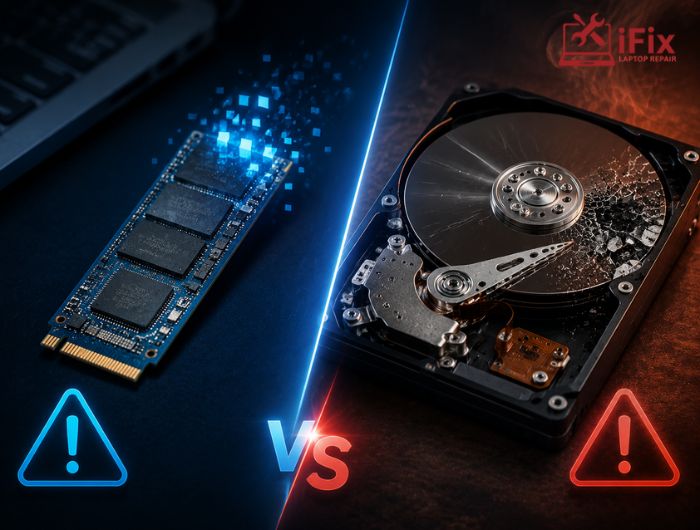
A storage drive can fail without warning, but the symptoms are not always the same. Understanding SSD failure vs hard drive failure can help you recognise warning signs, protect important files, and avoid making a failing drive worse.
SSDs use flash memory and electronic components, while traditional hard disk drives (HDDs) rely on spinning platters and moving mechanical parts. These different designs affect how each type of drive can degrade or fail.
How Do SSDs and Hard Drives Store Data?
Before comparing SSD failure vs hard drive failure, it helps to understand how the two technologies work.
An SSD stores data in NAND flash memory. It has no spinning platters or moving read/write heads. A controller manages how information is stored, retrieved, and distributed across the flash memory.
A traditional HDD stores data magnetically on rotating platters. A mechanical read/write head moves across the platter surface to access information.
This difference is important because mechanical components introduce failure points that do not exist in an SSD.
How Does an SSD Usually Fail?
SSDs can fail because of problems affecting their electronic components, firmware, controller, or NAND flash memory.
Common causes include:
- Controller failure
- NAND flash degradation
- Firmware problems
- Electrical damage
- Excessive write activity over time
- Power-related faults
One challenging aspect of SSD failure is that it may happen with very little physical warning. An SSD does not normally produce clicking or grinding noises because there are no moving parts.
In some cases, a computer may suddenly stop detecting the SSD. Files may become inaccessible, the operating system may fail to boot, or the drive may repeatedly disconnect.
How Does a Traditional Hard Drive Fail?
HDDs have mechanical components, so physical wear can play a significant role in failure.
Potential problems include:
- Damaged read/write heads
- Spindle motor failure
- Bad sectors
- Platter damage
- Mechanical wear
- PCB or controller faults
One advantage for diagnosis is that some mechanical HDD failures produce noticeable symptoms.
Clicking, grinding, buzzing, unusual vibration, repeated drive spin-up attempts, and increasing read errors can all indicate a problem.
However, not every failing HDD makes noise, and a drive should not be considered healthy simply because it operates quietly.
→ Is Your Hard Drive Showing Signs of Failure?
Slow performance, unusual noises, missing files, or frequent errors can indicate a failing hard drive. Our hard drive repair service can help diagnose the problem and determine the right repair or recovery option.
SSD Failure vs Hard Drive Failure: What Are the Warning Signs?
The symptoms can overlap, but some signs are more typical of one technology than the other.
Warning Sign | SSD | HDD |
Slow performance | Possible | Common |
Drive disappears | Possible | Possible |
Clicking or grinding | Unusual | Strong warning sign |
Bad sectors/errors | Possible | Common |
Sudden failure | Possible | Possible |
Unusual vibration | Rare | Possible |
SMART warnings | Possible | Possible |
When comparing SSD failure vs hard drive failure, remember that these are general patterns rather than guaranteed symptoms. A failing drive can behave differently depending on the failed component.
Why Can an SSD Fail Without Warning?
The absence of moving parts makes SSDs resistant to certain forms of physical shock, but it does not make them failure-proof.
A controller problem, firmware fault, electrical failure, or internal memory issue can prevent the SSD from communicating correctly with the computer.
The drive may therefore appear to fail suddenly.
This is one reason regular backups remain important even when an SSD appears healthy.
Are SSDs More Resistant to Physical Damage?
SSDs generally have an advantage against physical shock and vibration because they contain no spinning platters or moving read/write heads.
The U.S. Department of Energy notes that solid-state storage has no moving parts, which can provide advantages in durability and power consumption compared with mechanical storage.
However, physical resistance does not mean an SSD is immune to damage. Excessive heat, electrical problems, water exposure, or damage to the device containing the SSD can still affect its operation.
HDDs can be particularly vulnerable to physical impact while their platters are spinning because their mechanical components require precise movement.
Which Drive Is Easier to Recover Data From?
There is no simple answer.
HDD recovery may involve diagnosing mechanical problems, damaged heads, controller faults, or platter-related issues. In severe cases, specialised equipment may be required to create a usable image of the drive.
SSD recovery can be more complicated in different ways. Controllers manage how data is distributed across NAND flash, and technologies such as wear levelling and encryption can affect recovery.
As a result, SSD failure vs hard drive failure also differs from a data-recovery perspective.
If important files are stored on a failing drive, avoid repeatedly restarting it or experimenting with unfamiliar recovery methods. Continued operation can sometimes make a hardware problem worse.
A professional data recovery service can assess the drive and determine whether recovery is practical.
Do SSDs Last Longer Than Hard Drives?
There is no universal lifespan that applies to every SSD or HDD.
SSD endurance is influenced by factors such as NAND type, workload, write volume, temperature, and controller design. Manufacturers may provide endurance specifications such as total bytes written (TBW).
HDD lifespan can be influenced by mechanical wear, operating conditions, workload, temperature, vibration, and usage patterns.
Therefore, saying that one technology will always last longer can be misleading. The quality of the drive, workload, environment, and maintenance all matter.
Can You Predict When a Drive Will Fail?
Drive-health monitoring can provide useful warning signs, but it cannot predict every failure.
Depending on the device, monitoring systems may provide information about:
- Error rates
- Drive temperature
- Bad sectors
- Remaining SSD endurance
- Power-on hours
- SMART status
For example, increasing errors or rapidly deteriorating health indicators should not be ignored.
However, electronic components can sometimes fail without a long warning period. That is why monitoring should support, not replace, regular backups.
What Should You Do When a Drive Starts Failing?
If your drive is showing warning signs, take action before the problem becomes worse.
- Back up important files if the drive is still accessible.
- Avoid unnecessary use of the affected drive.
- Do not repeatedly restart a drive making unusual mechanical noises.
- Avoid installing recovery software onto the affected drive.
- Seek professional assistance if the data is important or the drive is no longer detected.
If you need a replacement rather than recovery, a storage upgrade service can help determine whether your device is suitable for an SSD or another storage solution.
How Can You Reduce the Risk of Data Loss?
The best protection against drive failure is maintaining more than one copy of important data.
Consider:
- Keeping regular backups
- Storing a backup separately from your main device
- Using cloud storage for an additional copy
- Monitoring drive health
- Replacing drives showing serious warning signs
- Protecting devices from excessive heat and physical damage
A backup is particularly important because neither an SSD nor an HDD is guaranteed to work indefinitely.
→ Need Help With a Failing Drive?
If your computer is showing storage errors, running unusually slowly, or failing to detect a drive, professional diagnostics can help identify whether the problem involves the SSD, HDD, connection, or another component.
Conclusion
SSD failure vs hard drive failure comes down largely to how each technology stores and manages data. HDDs can develop mechanical problems that may produce noticeable sounds or performance changes, while SSDs can experience electronic, controller, firmware, or flash-memory failures that may occur with less warning.
Neither storage type is failure-proof. Regular backups, drive-health monitoring, and early action when symptoms appear are the most practical ways to reduce the risk of permanent data loss.
Frequently Asked Questions
Can an SSD fail suddenly?
Yes. Controller, firmware, electrical, or NAND-related problems can sometimes cause an SSD to stop working with little warning.
What are the first signs of HDD failure?
Common signs include unusual noises, slow performance, read errors, disappearing files, and increasing bad sectors.
Are SSDs more reliable than HDDs?
Neither technology is immune to failure. SSDs have no moving parts, while HDDs have mechanical components that can wear out.
Is SSD data recovery harder than HDD recovery?
It can be, depending on the failure. SSD controllers and flash-management technologies can make recovery technically complex.
Should I keep using a failing drive?
If the data is important, minimise unnecessary use and back up accessible files as soon as possible. Consider professional diagnostics or recovery.
👉 Need Immediate Help?
If your laptop has been exposed to water, coffee, soda, or another liquid, don’t wait for hidden damage to spread.
Final Thoughts
When laptop water damage occurs, the biggest threat is often not the spill itself but the actions taken afterward. Turning the device on, using direct heat, relying on rice, or delaying professional help can all increase the likelihood of permanent failure.
By acting quickly, disconnecting power, allowing proper drying, and seeking expert assistance when needed, you can improve the chances of saving your device and avoiding costly repairs.
FAQs
How long does it take for water damage to affect a laptop?
Water damage can start immediately, but corrosion and internal issues often develop over several hours or days.
Can a laptop recover from water damage on its own?
No, laptops rarely recover fully on their own because hidden moisture and corrosion continue damaging components.
Does laptop water damage void the manufacturer’s warranty?
Yes, most standard warranties do not cover accidental liquid damage unless you have special protection plans.
What liquids cause the most damage to a laptop?
Sugary drinks, coffee, and soda cause more damage due to sticky, corrosive residue inside components.
