
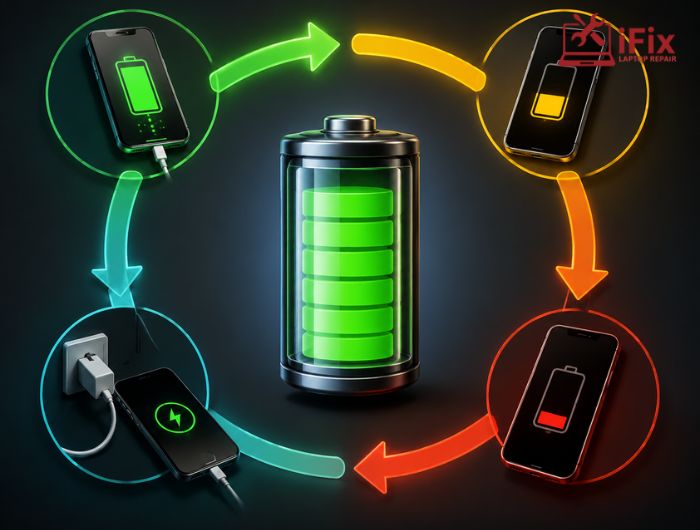
If you charge your laptop or phone several times a day, you may wonder whether every time you plug it in counts as a new cycle. The answer is no. A battery charge cycle refers to the total amount of battery capacity used, not the number of times you connect a charger.
One complete cycle represents cumulative usage equal to 100% of the battery’s capacity, even when that usage happens across several charging sessions.
In this blog, we explain what a battery charge cycle really means, how partial charging contributes to cycle count, what happens inside a battery during charging, and how charge cycles can affect battery lifespan.
→ Need a Battery Check?
Concerned about battery performance or charging issues? Book an appointment for a professional battery assessment.
What Is a Battery Charge Cycle?
A charge cycle is completed when you have used an amount of battery power equivalent to 100% of its capacity.
This does not mean you must drain the battery from 100% to 0% in one session.
For example:
- You use 50% of the battery on Monday.
- You recharge it.
- You use another 50% on Tuesday.
- Together, those two periods represent approximately one complete cycle.
The battery does not reset its cycle count every time you connect the charger. Instead, the system tracks cumulative energy usage.
This distinction is important because frequent charging does not necessarily mean you are using a complete cycle every time.
Does Partial Charging Count as a Cycle?
Yes, but only in proportion to the amount of battery capacity used.
Imagine your laptop uses 30% of its battery during the day. You recharge it and use another 30% the following day. You have used approximately 60% of the battery’s capacity, not two complete cycles.
You would need to accumulate another 40% of usage before reaching the equivalent of one complete cycle.
Apple describes the same principle for its lithium-ion batteries: using 75% one day and 25% the next adds up to one charge cycle.
Simple Example
Battery usage | Contribution toward cycle |
20% used | 0.2 cycle |
40% used | 0.4 cycle |
50% used | 0.5 cycle |
75% used | 0.75 cycle |
100% used cumulatively | 1 complete cycle |
The exact way a manufacturer calculates and reports cycles can vary, but the basic concept is cumulative battery usage.
What Happens During a Charge Cycle?
A battery charge cycle involves two basic processes: energy is stored in the battery during charging and then released as the device operates.
Most modern phones, laptops, and tablets use lithium-ion or lithium-ion polymer batteries. During charging, electrical energy drives chemical changes inside the battery that store energy. When you use the device, those chemical reactions work in the opposite direction to provide electrical power.
Charging is not simply a matter of repeatedly filling an empty container. Battery chemistry gradually changes with use and age.
Over time, the battery’s ability to store energy decreases. This is known as battery degradation.
Why Do Charge Cycles Affect Battery Life?
Every complete cycle contributes to normal battery ageing. However, cycle count is only one factor affecting battery condition.
Other important factors include:
- Operating temperature
- Charging conditions
- Device workload
- Battery age
- Storage conditions
- Charging technology
- Battery chemistry
Heat is particularly important because prolonged exposure to high temperatures can accelerate battery ageing. This means two batteries with the same cycle count may not have the same capacity or condition. For this reason, cycle count should be treated as an indicator rather than a precise prediction of remaining battery life.
- To understand how capacity loss affects your device, see our guide to what battery health means and why it matters.
How Many Charge Cycles Does a Battery Last?
There is no universal cycle limit for every rechargeable battery.
Manufacturers test batteries according to their specific design and provide expected capacity-retention figures for particular products.
For example, Apple currently states that iPhone 14 models and earlier are designed to retain 80% of their original capacity at 500 complete cycles under ideal conditions, while iPhone 15 models and later are designed for 80% at 1,000 complete cycles under ideal conditions. Apple also notes that actual battery performance depends on how the device is used and charged.
This is why it would be misleading to say that every laptop or smartphone battery needs replacement after a fixed number of cycles.
Does Charging to 100% Damage the Battery?
Charging a modern lithium-ion battery to 100% does not automatically damage it.
- There are many misconceptions about leaving a device plugged in or charging it to full capacity. For a clearer explanation, read our guide to common battery overcharging myths
Modern devices use battery-management systems that control charging and help protect the battery.
However, keeping a battery at a very high state of charge for long periods, particularly in hot conditions, can contribute to battery ageing. Some devices therefore offer features such as optimised charging or charge limits.
Apple, for example, uses charging-management features that can reduce the amount of time a battery remains at high charge levels.
The best approach is to use the charging features provided by your device rather than following rigid rules that may not apply to its battery design.
How Can You Reduce Unnecessary Battery Wear?
You cannot stop normal battery ageing, but you can reduce avoidable stress.
Keep the Device Cool
Avoid using or charging devices in extremely hot environments. Make sure laptop ventilation openings are not blocked.
Use Suitable Charging Equipment
Use a compatible charger and cable that meet the manufacturer’s requirements. Poor-quality or damaged charging accessories can create charging and safety problems.
Avoid Repeated Extreme Conditions
Regularly draining a battery completely or exposing it to extreme temperatures is generally unnecessary for modern lithium-ion batteries.
Use Battery Management Features
If your device provides optimised charging, adaptive charging or a charge limit, consider enabling it when appropriate.
How Can You Check Your Battery Cycle Count?
Many modern devices allow users to view cycle information.
On supported Apple devices, battery settings can show information such as battery health and cycle count. Apple also provides cycle-count information for supported iPad models.
Windows laptops can also provide battery information through a generated battery report, although the amount of information available varies by device.
If your device does not display a cycle count, professional diagnostic software may provide additional battery information.
When Does a High Cycle Count Become a Problem?
A high cycle count does not automatically mean the battery needs replacement.
Look at cycle count together with actual symptoms.
Sign | What it may indicate |
Shorter runtime | Reduced battery capacity |
Unexpected shutdowns | Battery or power-management issue |
Rapid percentage drops | Possible battery degradation |
Excessive heat | Cooling or battery concern |
Frequent charging | Reduced usable capacity |
Battery swelling | Potential battery failure |
If the device still provides enough runtime for your normal use, a higher cycle count alone may not justify replacement.
However, if battery performance has noticeably declined, professional testing can determine whether the battery or another component is responsible.
When Should You Consider Battery Replacement?
Battery replacement becomes more practical when reduced capacity begins affecting everyday use.
You may want to consider a laptop battery replacement service if your laptop:
- Lasts significantly less time than it used to
- Shuts down unexpectedly
- Shows a battery service warning
- Has severe capacity loss
- Experiences abnormal charging behaviour
A battery replacement can sometimes extend the useful life of an otherwise functional device without requiring you to replace the entire laptop.
👉 Need Help With Battery Problems?
If your device is losing charge quickly, shutting down unexpectedly, or showing signs of battery degradation, contact us for a professional battery diagnostic.
Conclusion
Battery charge cycle explained in simple terms means understanding cumulative battery usage rather than counting every charging session. Using 100% of a battery’s capacity over time represents approximately one complete cycle, even when that usage occurs through several partial discharges.
Cycle count is useful for monitoring battery ageing, but temperature, usage, charging conditions and battery age also matter. When reduced capacity begins affecting everyday use, a professional battery assessment can help determine the most appropriate next step.
Frequently Asked Questions
What is a battery charge cycle?
A charge cycle is the cumulative use of 100% of a battery’s capacity. It does not have to happen in one charging session.
Does charging from 50% to 100% count as one cycle?
No. Charging from 50% to 100% does not itself represent one complete cycle. The cycle is based primarily on cumulative battery usage.
Is partial charging bad for lithium-ion batteries?
No. Lithium-ion batteries are designed to be recharged before they are empty. Partial charging is normal.
Does a high cycle count mean the battery is bad?
Not necessarily. Battery condition depends on cycle count, age, temperature, usage and other factors.
How can I make my battery last longer?
Avoid excessive heat, use compatible charging equipment, enable available battery-management features, and monitor unusual battery behaviour.
