
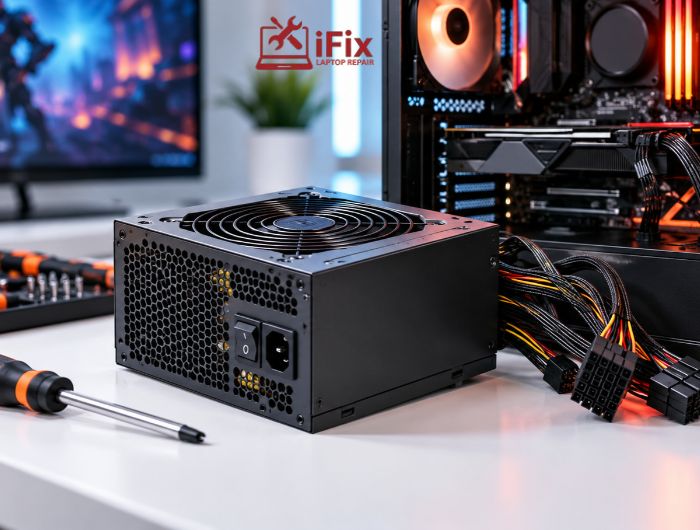
Your gaming PC suddenly shuts down during an intense gaming session. The screen goes black, the fans stop spinning, and the computer won’t restart immediately. Before blaming your graphics card or replacing expensive hardware, consider the power supply.
A gaming PC power supply failing can cause unexpected shutdowns, random restarts, and system instability, particularly under heavy workloads. However, overheating, GPU faults, and motherboard problems can produce similar symptoms.
This guide explains the common warning signs, safe troubleshooting steps, and when professional gaming PC repair in Las Vegas may be necessary.
How Do You Know If Your Gaming PC Power Supply Is Failing?
A power supply unit (PSU) delivers electricity to your computer’s motherboard, processor, graphics card, storage drives, and other components. When it cannot provide stable power, your system may become unreliable or stop working.
Common signs of a gaming PC power supply failing include:
- Sudden shutdowns during demanding games
- Unexpected computer restarts
- Difficulty starting the PC
- Crashes under heavy workloads
- Unusual electrical noises
- Burning smells or visible smoke
- Power problems after hardware upgrades
These symptoms can indicate PSU problems, but they do not confirm a failure. Other components may produce similar issues, making proper diagnosis important.
What Are the Most Common Signs of PSU Failure?
1. Sudden Shutdowns During Gaming
If your computer switches off without warning while playing demanding games, the PSU may be struggling to handle the system’s power requirements.
Modern graphics cards can experience sudden increases in power consumption during gameplay. However, overheating and other hardware faults can also cause unexpected shutdowns.
2. Unexpected Restarts
A computer that restarts without a normal Windows shutdown may have a power-related issue. RAM instability, GPU problems, overheating, and software conflicts can also cause this behaviour.
Pay attention to whether the problem happens during specific games, extended gaming sessions, or even when the PC is idle.
3. Unusual Electrical Noises
Clicking, buzzing, or unexpected electrical noises may indicate a hardware issue. However, coil whine alone does not confirm PSU failure because it can also originate from the graphics card or other components.
4. Burning Smells or Smoke
Never ignore a burning electrical smell, smoke, or visible sparks. These symptoms may indicate overheating, damaged wiring, or electrical component failure.
Switch off and unplug the computer if safe to do so, and stop using it. Never open the PSU casing yourself.
5. Problems After Hardware Upgrades
If shutdowns begin after installing a more powerful graphics card, the existing PSU may no longer be suitable for your system.
Check whether the power supply can support the complete hardware configuration, including the CPU, GPU, and other installed components.
What to Check Before Replacing Your PSU
Before replacing the PSU, investigate a few common causes.
Check power connections: With the computer switched off and unplugged, inspect accessible power connections. Pay particular attention to the GPU and motherboard connectors. Avoid using damaged cables.
Consider recent upgrades: A new graphics card or processor may increase your system’s power requirements. Ensure the PSU has sufficient capacity and compatible connectors.
Check the wall outlet: A faulty outlet, power strip, or extension cable can interrupt power delivery. If you notice sparks, burning smells, or visible damage, stop using the outlet.
- If your PC keeps shutting down or restarting, a proper diagnosis can help confirm whether the power supply is at fault. If you’re in Las Vegas or nearby, PC power supply repair can help identify the issue before you replace any components.
Could Overheating Be Causing the Shutdown?
Yes. Overheating can produce symptoms similar to a gaming PC power supply failing. If your computer shuts down after extended gameplay, check CPU and GPU temperatures.
Look for dust buildup, blocked air vents, malfunctioning fans, poor case airflow, or cooling problems.
You can also read our guide on how heat affects electronic devices to understand why excessive temperatures matter for hardware.
How Can You Tell the Difference Between a Bad PSU and a Faulty GPU?
Both components can cause black screens, crashes, and unexpected shutdowns.
Symptom | Possible cause |
PC shuts down during gaming | PSU or overheating |
Black screen while PC remains running | GPU or display connection |
Unexpected restarts | PSU, RAM, or software |
PC fails to start | PSU or motherboard |
Shutdown after extended gameplay | Overheating or PSU |
These symptoms are not definitive diagnoses. A technician may need to test multiple components to identify the actual fault.
How Can You Safely Check a Gaming PC Power Supply?
Start with basic external checks before considering replacement.
Step 1: Inspect the power cable. Check for visible damage, bent pins, and loose connections.
Step 2: Check the PSU switch. Make sure the switch at the back of the desktop power supply is in the I position.
Step 3: Inspect accessible connections. Switch off and unplug the PC before checking the motherboard 24-pin connector, CPU power cable, and GPU power connectors.
Step 4: Watch for warning signs. Burning smells, smoke, sparks, or unusual electrical noises require immediate attention. Stop using the computer if these appear.
Step 5: Arrange professional testing. A technician can assess the PSU using appropriate diagnostic equipment and investigate whether another component is responsible.
Never open the PSU casing yourself. Power supplies can contain components capable of retaining dangerous electrical charges even after disconnection.
What Does Recent PSU Reliability Data Tell Us?
Recent data can provide some useful context around power supply reliability. Puget Systems’ 2025 hardware reliability report, published in January 2026, recorded an average 0.47% failure rate for the Super Flower LEADEX power supplies used in its desktop and rackmount workstations, with a 0.24% in-field failure rate.
These figures come from Puget Systems’ own hardware and RMA records, so they should not be treated as an industry-wide failure rate or as a prediction for a particular gaming PC.
How Is a Faulty PSU Professionally Diagnosed?
Replacing the power supply should not automatically be the first step when a gaming PC shuts down unexpectedly.
A proper diagnostic process may involve inspecting accessible power connections, assessing the PSU with appropriate equipment, monitoring CPU and GPU temperatures, and checking other hardware for possible faults.
If testing confirms a faulty or unsuitable PSU, the replacement should match the computer’s power requirements, connectors, and physical dimensions.
This approach helps identify the underlying problem before recommending unnecessary component replacement.
How iFixLaptopRepair Can Help With Gaming PC Power Supply Problems
At iFixLaptopRepair, technicians can help identify why your gaming PC keeps shutting down or restarting.
- Power supply inspection: Check the PSU and its connections for possible faults.
- Hardware diagnosis: Investigate other components that may be causing power issues.
- Repair or replacement guidance: Assess whether the PSU needs repair or replacement based on the findings.
- Experienced technicians: More than 20 years of repair experience in diagnosing and addressing computer hardware problems.
- Clear next steps: Understand what needs attention before spending money on a new power supply.
→ PC Shutting Down While Gaming?
Don’t replace your PSU based on symptoms alone. Get the system checked to identify the actual cause.
When Should You Get Your Gaming PC Checked?
Arrange a professional inspection if your PC repeatedly loses power, restarts during demanding tasks, or fails to start after you have checked the external connections.
Stop using it if you notice smoke, a burning smell, or visible damage.
A technician can test the PSU and other components to find the cause before recommending a repair or replacement. This is particularly important when the same problem keeps returning.
Conclusion
A gaming PC power supply failing can cause unexpected shutdowns, restarts, and instability during demanding games. However, these symptoms do not automatically confirm PSU failure.
Check accessible power connections, recent hardware changes, and system temperatures first. If the problem continues, professional testing can help identify the faulty component and determine whether the PSU actually needs replacing.
For gaming PC diagnostics and power supply service in Las Vegas, call 702-886-1446.
Frequently Asked Questions
How Do I Know If My PC Power Supply Is Dying?
Common signs include unexpected shutdowns, random restarts, startup problems, unusual electrical noises, and instability under heavy workloads. These symptoms require further testing to confirm PSU failure.
How Long Does a Gaming PC Power Supply Last?
A quality PSU can last many years, depending on its build quality, operating temperature, and usage. Age alone does not mean it needs replacing.
Can a Faulty PSU Be Fixed?
Some PSU faults may be repairable by qualified specialists. However, replacing a confirmed faulty unit is often the safer option for most users. Never attempt internal PSU repairs yourself.
Can a Bad PSU Damage a Gaming PC?
A defective PSU can potentially affect connected components, particularly if its protective features fail or it develops an electrical fault. However, not every shutdown means other hardware has been damaged.
Why Does My Gaming PC Shut Down While Playing?
Possible causes include PSU problems, overheating, insufficient power capacity, and other hardware faults. Testing is necessary to identify the actual reason.
