
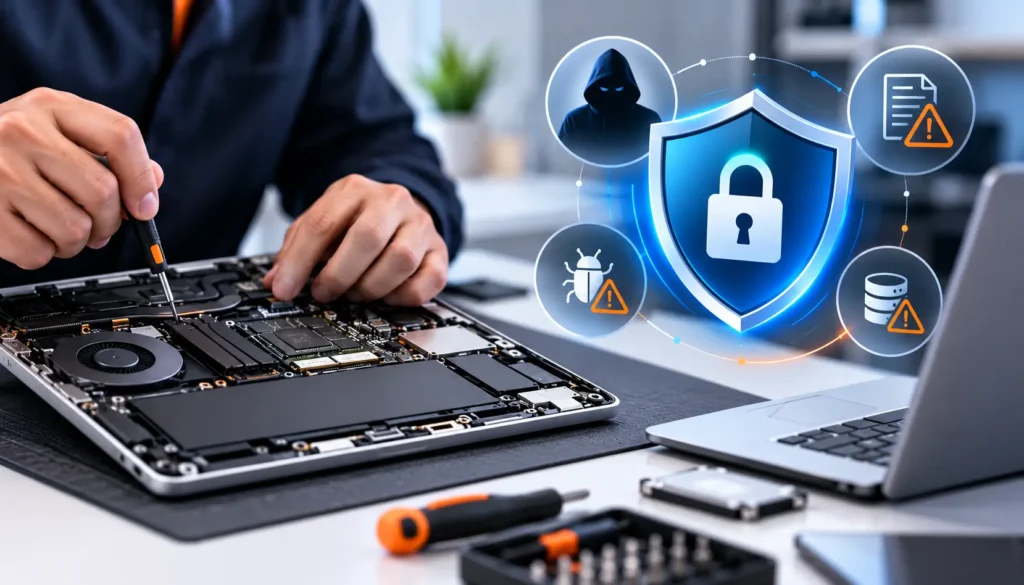
When people hand over their phone or laptop for fixing, one concern comes up again and again: cybersecurity risks after device repair. It’s a valid worry. Your device holds personal photos, emails, banking apps, and more.
But here’s the truth: most fears around cybersecurity risks after device repair are exaggerated. At the same time, ignoring real risks isn’t smart either. This guide breaks down what actually matters, what doesn’t, and how to stay safe without overthinking it.
Why People Worry About Device Repair Privacy
We live in a time where data breaches are common. According to IBM Security, the average cost of a data breach reached $4.45 million globally in recent reports. That makes people naturally cautious.
Here’s why concerns around device repair privacy exist:
- Devices store sensitive personal and financial data
- Past cases of unethical repair practices (though rare)
- Lack of awareness about what technicians actually do
While concerns about cybersecurity risks after device repair are understandable, they are often based on assumptions rather than real-world practices.
Common Myths About Cybersecurity Risks After Device Repair
Worried that a repair technician could access your private files, passwords, photos, or personal information? Device repair does involve some privacy considerations, but many common fears are based on misconceptions.
Let’s understand what technicians typically need to access, where genuine risks exist, and how to protect your information to help you make safer repair decisions.
Myth 1: Technicians Always Go Through Your Personal Data
Reality: Most hardware repairs do not require a technician to open or review personal files. Screen, battery, charging port, keyboard, and similar repairs can often be performed without accessing your documents, photos, or other personal information.
Myth 2: You Must Give Your Password to Get a Device Repaired
Reality: Not every repair requires your login password. Some diagnostics or software-related repairs may require access to the operating system, but you can ask the technician why access is needed and what information they will be able to see.
Myth 3: Repair Technicians Can Access Everything on Your Device
Reality: Physical access to a device does not automatically mean unrestricted access to every account or file. Device security features, account passwords, encryption, and the type of repair can all affect what information can be accessed.
→ Secure Computer Repair You Can Trust
Get safe, reliable computer repair with trusted technicians and strong data protection.
Myth 4: Your Data Is Automatically Safe Once the Device Is Repaired
Reality: Repairing the hardware does not guarantee that your data is protected from every security threat. If the device has malware, compromised accounts, weak passwords, or outdated software, those issues may remain after the physical repair.
For software-related problems, services such as virus removal can address malware and other unwanted software issues.
Myth 5: Independent Repair Shops Are Automatically Unsafe
Reality: Being an independent repair shop does not automatically make a service unsafe. What matters is how the business handles customer devices, protects personal information, communicates about access, and manages repairs.
Before handing over your device, ask about privacy practices and whether your data needs to be accessed for the requested repair.
Myth 6: Technicians Need to Copy Your Entire Hard Drive
Reality: A complete copy of your drive is not a normal requirement for many hardware repairs. Data copying may become relevant for certain troubleshooting, backup, migration, or recovery situations, but you can ask what data needs to be copied and why.
If your device has already suffered data loss or drive failure, a dedicated data recovery service may be more appropriate than attempting unnecessary repairs yourself.
Myth 7: Device Cloning Is a Normal Part of Computer Repair
Reality: Cloning a drive is a specific technical process, not something automatically performed during routine repair. It may be used for certain upgrades, migrations, backups, or recovery situations, but it should not be assumed to be part of every repair.
Myth 8: Repairing a Device Means Your Passwords Are Exposed
Reality: A technician working on your hardware does not automatically gain access to every online account. However, if you provide passwords, leave accounts signed in, or allow someone to access an unlocked device, your exposure can increase.
Use strong, unique passwords and enable multi-factor authentication where available.
Myth 9: Removing Malware Means All Cybersecurity Risks Are Gone
Reality: Malware removal can address malicious or unwanted software, but broader security problems may still exist. Weak passwords, outdated operating systems, unsafe downloads, compromised accounts, and missing security updates can continue to put your information at risk.
Myth 10: Backing Up Your Data Is Only Necessary Before Major Repairs
Reality: Regular backups are useful even when your device appears to be working normally. Hardware failure, accidental deletion, malware, software problems, and other unexpected events can cause data loss without warning.
A current backup gives you another way to recover important files if something goes wrong.
Real Cybersecurity Risks You Should Know
Even though many fears are myths, some cybersecurity risks after device repair do exist.
1. Unauthorized Access (Low Risk)
If your device is unlocked, someone could access your files.
2. Data Exposure Due to Poor Preparation
Not logging out or backing up data increases risk.
3. Malicious Software Installation (Very Rare)
This can happen only with unethical technicians, which is why choosing trusted repair technicians matters.
4. Hardware-Level Risks
Using low-quality parts could affect security features in rare cases.
- A Kaspersky report highlights that human error and poor device handling pose greater risks than intentional attacks.
What Actually Happens During a Repair
Understanding the process helps reduce fear around cybersecurity risks after device repair.
Typical repair steps include:
- Device inspection and diagnosis
- Hardware replacement (battery, screen, ports)
- Testing functionality
Most technicians do not need to access your personal data. This is why data security during device repair is easier to manage than most people think.
How to Protect Your Data Before Repair
Taking a few steps can almost eliminate cybersecurity risks after device repair.
Do this before handing over your device:
- Back up your data (cloud or external drive)
- Log out of apps and accounts
- Remove SIM and memory cards
- Enable screen lock or biometric security
- Perform a factory reset after repair if needed
These steps ensure strong data protection after laptop repair or phone repair.
How to Choose a Safe Repair Service
To reduce cybersecurity risks after device repair, choosing the right service matters.
Look for:
- Verified reviews and ratings
- Clear communication about repair steps
- Privacy-focused policies
- Experience and certifications
Avoid:
- Shops that ask for unnecessary passwords
- Unclear pricing or vague processes
Working with trusted repair technicians makes a big difference in protecting your data.
Signs of a Trustworthy Repair Shop
A reliable repair service will:
- Be transparent about what they fix
- Avoid accessing personal data unnecessarily
- Provide clear timelines and pricing
- Maintain a professional setup
These signs significantly reduce concerns about cybersecurity risks after device repair.
What to Do After Getting Your Device Back
Once your device is repaired, take a few final steps:
- Change important passwords
- Check for unknown apps or activity
- Update your software
- Restore data securely
These actions strengthen your data protection after laptop repair and ensure everything is safe.
→ Need Safe Repairs You Can Trust?
If you’re looking for a secure computer repair service, choose professionals who prioritize your data safety.
Final Thoughts
Concerns about cybersecurity risks after device repair are understandable, but most of them are overblown. Real risks exist, but they are easy to manage with simple precautions.
The key is balance. Stay aware, take basic steps, and choose the right professionals. That’s enough to keep your data safe without unnecessary stress.
FAQs
- Are cybersecurity risks after device repair common?
No, they are quite rare, especially when using trusted repair services.
- Should I factory reset my device before repair?
If possible, yes. A factory reset after repair or before repair adds an extra layer of protection.
- Can technicians see my personal files?
Only if your device is unlocked. Most repairs don’t require access to personal data.
- How do I ensure data security during device repair?
Back up data, log out of accounts, and choose a reliable repair service.
- Is it safe to use third-party repair shops?
Yes, as long as you choose experienced and trusted repair technicians.
