


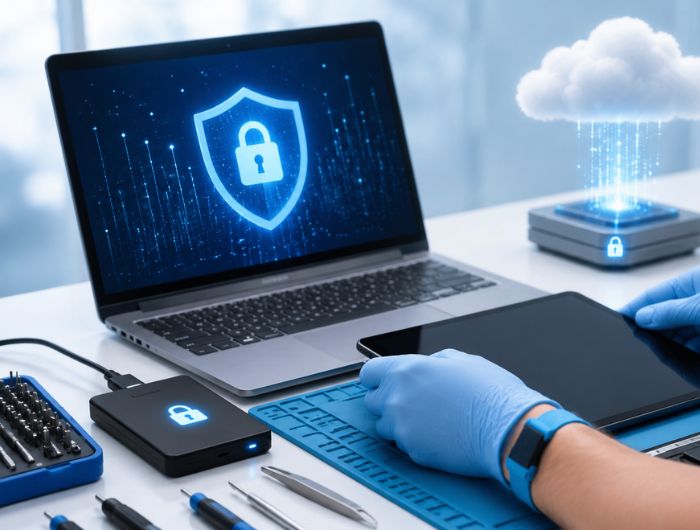
A cracked screen or faulty laptop shouldn’t put your personal data at risk. Before handing over your device, it’s essential to protect data before repair by securing sensitive files, accounts, and passwords.
Even routine repairs may require system access, making preparation a crucial step. With a few simple precautions, you can reduce privacy risks, prevent data loss, and ensure your information stays protected throughout the repair process.
Why Is Protecting Your Data Before Repair Important?
Your device contains valuable personal and business information. Before handing it over for repair, take a few simple steps to keep your data secure.
Preparing your device helps you:
- Protect personal and business information
- Prevent accidental data loss
- Keep passwords and accounts secure
- Reduce privacy risks during repair
- Ensure a safer repair experience
→ Lost Important Data?
Our professional Data Recovery Services can help recover files from damaged or failed devices.
What Should You Avoid Before Giving Your Device for Repair?
Many people unknowingly create security risks before handing over their devices. Avoiding these common mistakes can make a significant difference.
Forgetting to Back Up Your Data
Always back up important files before repair to avoid losing valuable information if unexpected issues occur.
Staying Logged Into Accounts
Sign out of email, cloud storage, banking apps, and social media to keep your personal information secure.
Leaving Sensitive Files Accessible
Move or remove confidential documents, financial records, and personal files from easily accessible folders.
Using a Weak Password
Protect your device with a strong password or PIN to prevent unauthorised access during the repair process.
Device Repair Privacy Checklist Before Handing Over Your Device
Use this device repair privacy checklist before visiting a repair centre.
Step | What You Should Do | Why It Matters |
Backup Files | Save important data to cloud storage or an external drive | Prevents permanent data loss |
Log Out | Sign out of email, cloud services, and social accounts | Protects your personal information |
Remove Sensitive Files | Delete or move confidential documents | Reduces unnecessary exposure |
Lock Your Device | Set a strong password or PIN | Prevents unauthorised access |
Disable Automatic Sync | Pause cloud syncing during repair | Helps prevent unintended data updates |
Completing these simple steps only takes a few minutes but significantly improves your device repair data security checklist.
How to Protect Personal Data Before Computer Repair
Preparing your device before repair is simple. Follow these steps to protect data before repair and reduce the risk of data loss or privacy issues.
Step 1: Back Up Your Data
Create a backup of your important files before handing over your device. Save documents, photos, videos, and work files to cloud storage or an external drive.
Expert Tip: Open a few backed-up files to ensure they were copied successfully.
Step 2: Sign Out of Personal Accounts
Log out of all accounts connected to your device to protect your personal information. This includes:
- Email accounts
- Cloud storage
- Social media
- Banking apps
- Business accounts
Step 3: Remove Saved Passwords
Clear saved passwords, payment details, and autofill information from your browser. This prevents automatic access to your accounts if technicians need to test your system.
Step 4: Secure Sensitive Files
Review folders like Desktop, Documents, and Downloads. Move confidential files to encrypted storage or delete anything you don’t want accessible during the repair.
Step 5: Create a Guest Account
Instead of sharing your main profile, create a guest or temporary account. It allows technicians to perform necessary tests while keeping your personal files and settings separate.
Step 6: Enable Device Encryption
Turn on built-in encryption, such as BitLocker on Windows or FileVault on a Mac. Encryption helps protect your files if someone attempts to access your storage without permission.
Step 7: Perform a Final Check
Before handing over your device, make sure you have:
- Backed up your files
- Signed out of accounts
- Secured sensitive data
- Enabled device protection
A quick review helps ensure your information stays protected throughout the repair process.
👉 Need Quick Advice Before Your Repair?
If you’re unsure how to safely prepare your laptop or phone, speak with an experienced technician before your appointment.
Is It Safe to Leave Data on a Laptop During Repair?
It depends on the type of repair. Hardware repairs like screen or battery replacements usually don’t require access to your personal files. However, software or storage-related repairs may require technicians to access the operating system.
To stay safe, always protect data before repair by backing up your files, signing out of accounts, and securing sensitive information before handing over your device.
How to Back Up Data Before Phone Repair
A backup is your best defence against unexpected data loss. Whether you’re repairing a smartphone or a laptop, having a recent copy of your files means you can recover your information if something goes wrong.
If you’re wondering how to back up data before phone repair, follow these simple options:
- Upload photos, videos, and documents to a trusted cloud storage service.
- Save important files to an external hard drive or USB storage device.
- Use your device’s built-in backup feature to create a complete system backup.
- Check that your backup has finished successfully before taking your device for repair.
Pro Tip: Don’t wait until the day of your repair. Creating regular backups protects your data from hardware failure, accidental deletion, theft, and ransomware, not just from repair-related issues.
Should You Remove Personal Files Before Device Repair?
Many users ask, “Should I remove personal files before device repair?”
If you have confidential information stored on your device, the answer is yes.
You don’t necessarily need to delete everything. Instead, move sensitive files to secure cloud storage, an encrypted external drive, or another protected location before your appointment.
Consider relocating files such as:
- Financial records
- Tax documents
- Passport or ID scans
- Legal paperwork
- Client information
- Business contracts
- Personal photographs
- Password databases
Removing or securing these files reduces unnecessary exposure while allowing technicians to complete the repair efficiently.
Additional Tips for Protecting Privacy During Electronics Repair
Beyond backups and account sign-outs, there are several small steps that can further improve your privacy.
- Disable automatic login.
- Pause cloud synchronisation.
- Remove external storage devices.
- Turn off remote access software.
- Take photos of your device before repair.
- Note down any accessories you leave with the device.
- Keep your repair receipt in a safe place.
What Could Happen If You Skip These Safety Steps?
Failing to prepare your device doesn’t automatically mean something will go wrong, but it does increase unnecessary risks.
Potential issues include:
- Permanent loss of important files
- Exposure of saved passwords
- Access to personal or business documents
- Deleted information during system diagnostics
- Additional time spent recovering missing data
A few minutes of preparation are often far easier than trying to recover valuable information afterwards.
Can Repair Shops Recover Lost Data?
In some situations, yes.
If your storage device is still functional or only partially damaged, professional technicians may be able to recover deleted or inaccessible files using specialised recovery software and hardware.
However, recovery isn’t always possible.
Factors that affect success include:
- Physical damage to the drive
- Corrupted storage sectors
- Overwritten data
- Water or fire damage
- Failed SSD controllers
Because successful recovery can never be guaranteed, creating regular backups remains the safest long-term strategy.
Expert Advice: Ask About Privacy Before Choosing a Repair Shop
Not every repair provider follows the same procedures. Before handing over your device, consider asking a few simple questions:
- Do technicians need access to my personal account?
- Can I create a guest account instead?
- How is customer data handled during repairs?
- Are privacy procedures followed during diagnostics?
- Will my data remain untouched unless access is necessary?
A trustworthy repair company should be happy to explain its process and answer your questions.
→ Need reliable device repair with careful handling and privacy-focused procedures?
Final Thoughts
Taking a few minutes to Protect Data Before Repair can prevent privacy risks and unnecessary data loss. Before handing over your device, back up important files, sign out of accounts, secure sensitive information, and follow a simple privacy checklist. These small steps help keep your personal data safe while ensuring a smoother and more secure repair experience.
Frequently Asked Questions
Can repair shops see my personal files on my laptop?
Yes, if system access is required. Secure files and use a guest account whenever possible.
Should I factory reset my device before repair?
Only for software issues or when you want to remove all personal data beforehand.
What is the safest way to prepare a laptop for repair?
Back up data, sign out, remove sensitive files, enable encryption, and secure your device.
Can I leave my external hard drive connected during repair?
No. Disconnect external storage devices to protect additional files and avoid accidental data changes.
How often should I back up my device?
Back up weekly, or daily if you regularly store important personal or business files.
