
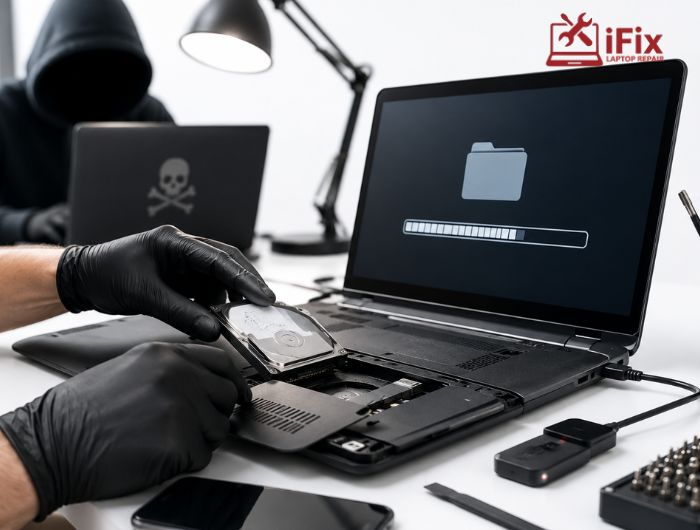
Whether you’re repairing a cracked laptop screen, replacing a phone battery, or fixing software issues, it’s natural to wonder what happens to the personal information stored on your device. From banking apps and saved passwords to work documents and family photos, today’s devices hold a significant amount of sensitive data.
The good news is that most professional repair centres follow strict privacy practices. However, data theft during device repair is still a possibility if the wrong precautions are taken or an untrustworthy repair provider is chosen.
Understanding the risks before handing over your device can help you protect your information and avoid unnecessary problems.
- According to IBM’s Data Breach Report, the global average cost of a data breach has reached millions of dollars annually, showing how valuable digital information has become.
Can Repair Technicians See Your Personal Data?
Not every repair requires access to your files. In many hardware repairs, technicians can replace components without viewing your personal information. However, software-related services often require the device to be unlocked for testing.
Here are some common examples:
- Screen replacement: Usually no access to personal files.
- Battery replacement: Typically completed without opening your device.
- Keyboard or charging port repair: Only basic hardware testing is needed.
- Operating system repairs: May require access to settings and system files.
- Data recovery: Full access to storage is usually necessary.
If a repair involves diagnostics or software troubleshooting, technicians may temporarily access certain parts of your device. This is why asking about repair shop data security policies before leaving your device is always a smart decision.
What Information Is Most at Risk?
Most people think only photos are at risk during a repair, but your device stores much more than that.
Sensitive information may include:
- Personal photos and videos
- Banking and payment applications
- Saved passwords and browser credentials
- Email accounts
- Business documents
- Social media accounts
- Private messages
- Cloud storage access
- Tax or financial records
If your device is unlocked without proper safeguards, this information could become accessible. Taking steps to improve personal data protection before a repair helps minimise that risk.
→ Need Fast and Reliable Device Repairs? Don’t let a minor issue become a major expense.
Which Repairs Carry the Highest Privacy Risk?
Different repairs require different levels of access. Understanding this can help you decide what precautions to take before handing over your device.
Repair Type | Data Access | Risk Level |
Screen or battery replacement | Rarely required | Low |
Keyboard, speaker or charging port repair | Minimal | Low |
Software troubleshooting | Device access usually required | Medium |
Virus or malware removal | System access required | Medium |
Data recovery service | Full storage access | High |
Unknown or unverified repair shop | Uncertain | High |
Even low-risk repairs become more secure when you back up your files, remove removable storage, and lock your device whenever possible.
How to Choose a Repair Shop That Protects Your Privacy
Choosing the right repair provider is just as important as protecting your device beforehand. A reputable repair shop should be transparent about how customer data is handled and who can access your device during the repair process.
Before booking a repair, look for a provider that:
- Clearly explains its privacy policy.
- Employs trained and certified technicians.
- Requests your permission before unlocking the device.
- Restricts access to customer devices.
- Has positive customer reviews and an established reputation.
- Returns your device with security settings unchanged.
Professional repair centres understand that customer trust goes beyond fixing hardware. They also recognise the importance of protecting personal information throughout the repair process.
What Are the Real Risks of Data Theft During Device Repair?
Although most repair professionals act ethically, your data can still be exposed if proper safeguards are not in place. The risk isn’t limited to intentional theft. Weak security procedures, shared workstations, or unlocked devices can also leave personal information vulnerable.
Common risks include:
- Viewing personal photos or documents without permission
- Accessing saved passwords or logged-in accounts
- Copying files to external storage devices
- Installing unwanted software or spyware
- Exposing sensitive information in unsecured repair environments
The likelihood of data theft during device repair is low when you choose a trusted repair provider, but taking preventive steps is always the safest approach.
How to Protect Your Data Before Repair
A few simple actions before handing over your device can greatly reduce the chances of your personal information being exposed.
Before your repair appointment:
- Back up important files to the cloud or external storage.
- Sign out of banking, email, and social media accounts.
- Remove saved passwords if possible.
- Enable device encryption.
- Take out the SIM card and SD card.
- Keep the device locked unless unlocking is required for testing.
These computer data safety practices help protect your information even if the device needs to be examined during the repair.
Should You Factory Reset Your Device Before Repair?
A factory reset is one of the most effective ways to protect your data, but it isn’t always the right solution.
A reset is recommended when:
- You’re leaving the device with an unfamiliar repair provider.
- The repair does not involve recovering your existing data.
- You have already created a complete backup.
Avoid resetting your device if:
- You need data recovery services.
- The technician must diagnose software issues using your existing system.
- Important files haven’t been backed up.
If you’re unsure, ask the repair provider whether a reset is necessary before erasing your device.
- If you’ve lost important files or need to retrieve data from a damaged device, our data recovery services can help recover your information safely before any repair begins.
What Should You Do If You Suspect Data Theft?
If you believe someone accessed your personal information during a repair, act immediately.
Take these steps:
- Change passwords for your important accounts.
- Enable two-factor authentication where available.
- Review account login activity.
- Run a trusted antivirus or security scan.
- Contact your bank if payment information may have been exposed.
- Inform the repair provider about your concerns.
Responding quickly can help limit potential damage and prevent further unauthorised access.
👉 Need Expert Help?
Have questions or need a repair? Our experienced technicians are here to help with fast, reliable support and secure device repairs.
Final Thoughts
Data theft during device repair is a genuine concern, but it should not stop you from getting your device repaired when needed. Most reputable repair centres follow professional procedures that respect customer privacy, and the majority of risks can be reduced with a few simple precautions.
Before handing over your device, back up your files, secure your accounts, and choose a repair provider with a strong reputation for both technical expertise and data security. A little preparation today can help protect your personal information long after the repair is complete.
Frequently Asked Questions
Can a repair technician access my personal files?
Yes. If your device must be unlocked for diagnostics or software repairs, some data may become accessible.
Is data theft during device repair common?
No. It is uncommon at reputable repair centres, but taking security precautions is still recommended.
Should I remove my SIM card before repair?
Yes. Unless it’s required for testing, removing your SIM card helps protect your personal information.
Is a factory reset always necessary?
No. A factory reset is useful in some situations but may not be appropriate if data recovery or software diagnostics are required.
How can I choose a trustworthy repair shop?
Look for experienced technicians, positive customer reviews, clear privacy policies, and secure repair procedures that protect customer data.
