
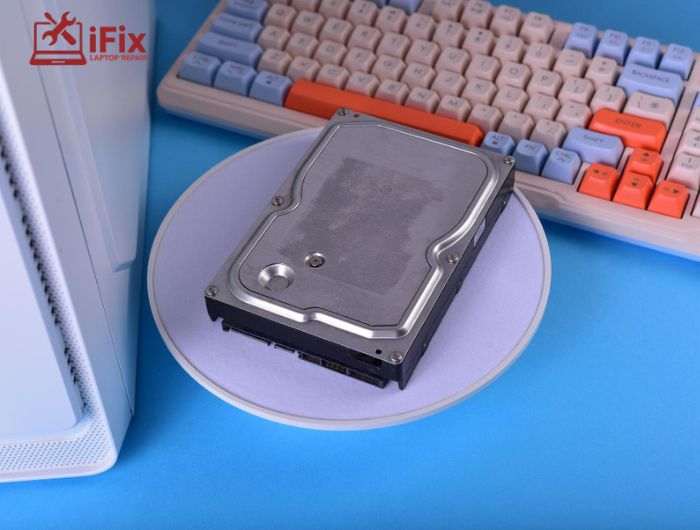
Hard drives store your most important files, but they don’t last forever. Recognizing the signs of hard drive failure early can save you from permanent data loss and expensive repairs. From strange noises to missing files, these issues often appear before a complete breakdown.
In this guide, you’ll learn the most common warning signs, what causes them, and how to respond before your data is at risk.
1) Strange Noises from the Drive
Unusual sounds like clicking, grinding, or buzzing are often early warning signs of a failing drive. A persistent clicking noise hard drive issue usually points to mechanical wear or a damaged read/write head, which can lead to a sudden breakdown if ignored.
What to do:
- Stop using the system immediately to prevent further damage
- Back up important files to an external drive or cloud storage
- Avoid restarting repeatedly, as it can worsen internal damage
- Consult a technician if the noise continues
2) Frequent Crashes and Freezing
If your computer freezes or crashes regularly, especially during startup, it may not just be software-related. These are common HDD failure symptoms caused by unstable disk operations or failing sectors, interrupting system processes.
What to do:
- Run built-in disk checking tools like CHKDSK
- Back up your data immediately before further crashes occur
- Check system logs for disk-related errors
- Consider replacing the drive if crashes persist
3) Corrupted or Unreadable Files
Files that suddenly become unreadable or fail to open are often linked to bad sectors on the hard drive. This means parts of the disk can no longer store or retrieve data properly, increasing the risk of permanent loss.
What to do:
- Run a disk repair utility to scan for bad sectors
- Copy important files to a safe location as soon as possible
- Avoid saving new data on the affected drive
- Monitor if corruption continues to spread
→ If you’re already facing file corruption or missing data, don’t take risks. A professional hard drive data recovery service can help recover critical files safely.
4) Slow System Performance
A noticeable drop in speed, especially when opening or transferring files, is a common slow computer hard drive issue. It often means the drive is struggling to read data efficiently, one of the overlooked signs of hard drive failure.
What to do:
- Check disk usage in the task manager or the system monitor
- Run a full disk health scan
- Free up storage space and remove unnecessary files
- Upgrade to SSD if performance continues to decline
5) Disappearing Files and Folders
If files or folders go missing without deletion, it may indicate deeper disk issues. This is one of the more serious signs of hard drive failure, often linked to file system corruption or hidden bad sectors.
What to do:
- Search for hidden files using system settings
- Run antivirus software to rule out malware
- Back up remaining accessible data immediately
- Avoid writing new data to the drive
6) Blue Screen of Death (BSOD)
Frequent blue screen errors can be caused by hardware failures, including hard drives. When the system cannot access critical data, it crashes to prevent further damage, making this one of the clearer signs of hard drive failure.
What to do:
- Note the error code shown on the screen
- Run disk diagnostics and memory tests
- Update system drivers and OS
- Replace the drive if the BSOD continues frequently
➤ Need Hard Drive Repair?
If your system is crashing or showing serious issues, it’s time to act. Professional repair can help prevent complete data loss and further damage.
7) Unusual Error Messages
Frequent disk-related error messages, such as “file not found” or “disk not accessible,” often indicate underlying hardware issues. These warnings are early signs of hard drive failure and should never be ignored.
What to do:
- Take screenshots or note down error messages
- Run a full system and disk scan
- Avoid installing new software on the affected drive
- Seek technical support if errors persist
8) Overheating Issues
Excess heat can damage internal components and accelerate failure. Overheating is one of the physical signs of hard drive failure, especially in systems with poor ventilation or heavy usage.
What to do:
- Check system temperature using monitoring tools
- Clean dust from fans and vents
- Ensure proper airflow around your device
- Avoid using the system on soft surfaces like beds
9) Bad Sectors on Hard Drive
Bad sectors are damaged areas that cannot store data properly. As they increase, they reduce usable storage and can eventually lead to full drive failure.
What to do:
- Run disk scanning tools to identify bad sectors
- Isolate affected areas using repair utilities
- Back up all critical files immediately
- Plan for drive replacement if sectors increase
10) SMART Warnings
SMART alerts are built-in warnings that monitor disk health. These are among the most reliable signs of hard drive failure, indicating that the drive may fail soon.
What to do:
- Check SMART status using diagnostic tools
- Back up all important data without delay
- Avoid heavy usage of the drive
- Replace the drive as soon as possible
→ Need Expert Help?
Not sure how serious your issue is? Get expert advice before it turns into data loss.
Conclusion
Understanding the signs of hard drive failure helps you act early and avoid major data loss. From unusual sounds to system crashes, each warning matters. By following proper steps, backing up regularly, and seeking timely help, you can protect your data and extend your device’s lifespan.
FAQs
What does a clicking noise in a hard drive mean?
A clicking noise usually indicates a mechanical issue inside the drive, often signaling that failure is imminent.
Can I prevent hard drive failure?
While not entirely preventable, regular maintenance and data backup before drive failure can reduce risks.
Are HDD failure symptoms always obvious?
Not always. Some signs, like slowdowns, are subtle but still important.
Can data be recovered from a failing drive?
Yes, in many cases. A professional hard drive data recovery service offers the best chance of success.
