
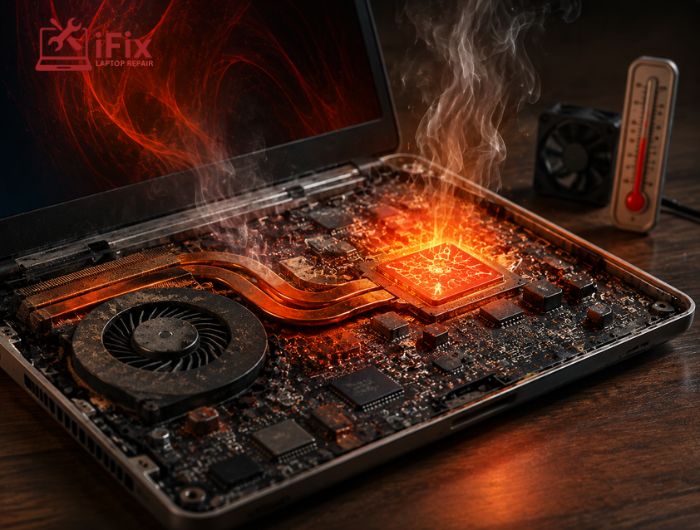
Have you noticed your laptop fan running constantly, your phone becoming unusually hot, or a device slowing down during demanding tasks? These symptoms can indicate that heat affects electronic devices more than expected.
Electronic components naturally generate heat during operation, but prolonged exposure to excessive temperatures can increase thermal stress, reduce performance, accelerate component ageing, and contribute to hardware problems.
In this guide, we’ll explain how heat affects different components, what causes overheating, the warning signs to watch for, and practical ways to reduce heat-related damage.
→ Book a Free Device Health Check
Does your device regularly run hot or slow down during normal use? Book a free device health check to identify potential cooling, battery, or hardware problems before they become more serious.
How Does Heat Affect Electronic Devices?
Electronic devices are designed to operate within specific temperature limits. When temperatures rise beyond what a component or system is designed to handle, the device may use built-in protection mechanisms to reduce heat.
The effects can include:
- Reduced processing performance
- Thermal throttling
- Faster battery ageing
- Increased component stress
- Unexpected shutdowns
- Reduced hardware reliability
The exact effect depends on the component, temperature, workload, cooling design, and duration of exposure.
For example, Intel explains that its processors can reduce clock speed when temperatures approach their thermal limits. This process, known as thermal throttling, helps control temperature but can also result in noticeable performance reductions.
This is why a device becoming slower when it gets hot does not necessarily mean its processor has failed. It may be responding normally to excessive thermal conditions.
Which Electronic Components Are Most Affected by Heat?
Heat does not affect every component in the same way. Some parts are particularly sensitive to prolonged thermal stress.
Batteries
Rechargeable batteries gradually lose capacity as they age. Excessive heat can make this ageing process more problematic, particularly when a battery is repeatedly exposed to high temperatures.
Signs of heat-related battery problems can include:
- Faster battery drain
- Reduced battery capacity
- Increased charging time
- Unexpected shutdowns
- Excessive warmth during charging
Because battery chemistry differs between devices, users should follow the manufacturer’s charging and temperature recommendations rather than relying on one temperature rule for every battery.
Processors and Graphics Components
Processors and graphics chips generate significant heat during demanding workloads such as gaming, video editing, rendering, and other intensive applications.
When temperatures become too high, thermal management systems may reduce power or clock speed. Intel identifies reduced CPU frequency, system slowness, excessive fan noise, and automatic shutdown as possible symptoms associated with overheating.
This protective behaviour is useful because it can prevent more serious thermal problems. However, repeated overheating should still be investigated rather than treated as normal.
Storage Drives
Storage devices can also be affected by temperature. SSDs and hard disk drives have different designs and thermal characteristics, so their temperature limits vary by model.
Rather than assuming that one temperature is safe for every storage device, check the manufacturer’s specifications for the specific drive.
Motherboards and Other Electronic Circuits
A motherboard contains numerous components that work together to distribute power and communicate with other hardware. Prolonged exposure to unsuitable temperatures can place additional thermal stress on these components.
This is one reason adequate airflow and cooling are important for maintaining overall system reliability.
What Causes Electronic Devices to Overheat?
Several factors can cause temperatures to rise beyond normal operating conditions.
Blocked Air Vents
When vents are covered by dust, fabric, or other objects, hot air cannot escape efficiently. This can cause internal temperatures to rise, particularly during demanding workloads.
Dust Accumulation
Dust can collect around fans, heatsinks, and ventilation openings. Over time, this buildup can restrict airflow and make the cooling system less effective.
Faulty Cooling Fans
A fan that is damaged, obstructed, or no longer operating correctly cannot move enough air through the system. Excessive fan noise can also indicate that the cooling system is working harder than usual.
High Workloads
Gaming, video editing, 3D rendering, large data processing tasks, and other demanding workloads can cause processors and graphics hardware to generate more heat.
Higher temperatures during heavy workloads are not automatically a sign of failure. Intel notes that processor temperatures can vary significantly depending on workload, system design, and cooling configuration.
High Ambient Temperatures
A device operating in a hot room has less opportunity to transfer heat into the surrounding environment. This can make cooling more difficult, particularly for compact devices such as laptops and smartphones.
Poor Thermal Maintenance
Over time, cooling systems may require cleaning or servicing. Depending on the device, thermal interface materials may also deteriorate and require professional attention.
What Are the Warning Signs of Overheating?
A device experiencing excessive heat may show several noticeable symptoms.
Common warning signs include:
- Fans running constantly
- Sudden performance drops
- Unexpected shutdowns
- System freezing
- Slow application response
- Excessive surface temperature
- Battery draining unusually quickly
- Reduced performance during demanding tasks
Intel lists system slowness, reduced processor frequency, excessive fan noise, and automatic shutdown among symptoms that can occur with processor overheating.
However, these symptoms can also have software, battery, storage, or other hardware causes. A proper diagnosis is important before assuming heat is the only problem.
What Temperature Is Too Hot for Electronic Devices?
There is no single temperature that is considered too hot for every electronic device. Safe operating temperatures vary by device, component, manufacturer, workload, and cooling design.
For example, a processor may operate at a much higher internal temperature than the surrounding room. A battery, SSD, or other component may have different recommended limits.
Therefore, instead of relying on a universal temperature number:
- Check the manufacturer’s specifications.
- Monitor unusual temperature increases.
- Pay attention to thermal warnings.
- Investigate repeated overheating.
- Avoid using devices in excessively hot environments.
A device that becomes unusually hot during normal, light use deserves attention, particularly if the heat is accompanied by slow performance, shutdowns, or charging problems.
How Can You Reduce Heat in Electronic Devices?
Good thermal management starts with simple changes to how a device is used and maintained.
- Keep ventilation openings clear: Blocked vents prevent hot air from escaping efficiently.
- Clean dust regularly: Dust around fans and vents can restrict airflow and reduce cooling efficiency.
- Avoid direct sunlight: Sunlight can raise the external and internal temperature of a device.
- Use hard, flat surfaces: For laptops, desks and tables generally provide better airflow than beds or soft furniture.
- Don’t ignore fan problems: Unusual noise or a constantly running fan may indicate restricted airflow or a cooling fault.
- Use compatible charging equipment: Damaged or unsuitable chargers can create unnecessary heat during charging.
- Reduce unnecessary workloads: Closing demanding applications when they are not needed can reduce processor and graphics-related heat.
These measures will not eliminate heat because electronic components naturally produce it. The goal is to keep temperatures within the operating conditions recommended by the manufacturer.
→ If you have concerns about how heat affects electronic devices, contact us for a professional assessment. We’ll help identify the cause of unusual heat and explain the appropriate next step based on the device’s condition.
Conclusion
Electronic devices need heat management to operate reliably. While some warmth is normal, repeated exposure to excessive temperatures can contribute to battery ageing, thermal throttling, component stress, and reduced reliability.
Keeping vents clear, maintaining airflow, using compatible accessories, and addressing unusual heat early can help protect your device. When basic maintenance does not resolve the problem, professional diagnostics can identify the actual cause.
Frequently Asked Questions
How does heat affect electronic devices?
Excessive heat can increase thermal stress, accelerate component ageing, reduce performance, and contribute to hardware problems.
Is it normal for electronics to become warm?
Yes. Electronic components naturally generate heat during operation. The concern is persistent or excessive heat outside the manufacturer’s recommended conditions.
Can overheating permanently damage a device?
Severe or prolonged overheating can damage certain components, although many devices have thermal protection systems that reduce performance or shut the device down.
Does heat reduce battery life?
High temperatures can accelerate the ageing of lithium-ion batteries and contribute to faster capacity loss.
Can dust cause overheating?
Yes. Dust can restrict airflow around vents, fans, and heatsinks, making it harder for the cooling system to remove heat.
What should I do if my device keeps overheating?
Check that vents are unobstructed, move the device away from direct heat, and seek professional diagnostics if the problem continues.
