 Skip to content



Water damaged motherboard repair is one of the most urgent and delicate fixes in modern devices. Whether it’s a laptop, desktop, or gaming system, even a small liquid spill can damage internal circuits and stop your device from working properly.
Water doesn’t just sit on the surface. It seeps into tiny components, causing corrosion, short circuits, and long-term performance issues. Acting quickly can mean the difference between a simple repair and a complete replacement.
If you’re facing this issue, don’t panic. This guide will walk you through everything—from causes to solutions and repair costs.
What Happens When a Motherboard Gets Wet?
When liquid enters your device, it doesn’t just “sit there.” It immediately starts affecting electrical pathways.
- Short circuits: Water conducts electricity, causing components to fail instantly
- Corrosion: Moisture reacts with metals, leading to gradual damage
- Mineral residue: Tap water leaves deposits that interfere with circuits
- Delayed failure: Devices may work temporarily, then suddenly stop
According to electronics repair industry data, nearly 40% of liquid-damaged devices fail later due to corrosion, even if they initially power on.
→ Need urgent help? If your device just got wet, don’t wait.
Signs You Need Water-Damaged Motherboard Repair
Not all damage shows immediately. Watch for these warning signs:
- Device not turning on
- Random shutdowns or restarts
- Overheating issues
- Keyboard or ports not working
- Burning smell or visible corrosion
If you notice any of these, it’s time to consider water-damaged motherboard repair before the problem worsens.
Types of Liquid Damage (Impact Level)
Not all liquids damage devices equally:
Liquid Type | Damage Level | Reason |
Clean Water | Moderate | Less residue, but still causes corrosion |
Saltwater | Severe | Highly conductive, accelerates corrosion |
Sugary Drinks | Severe | Sticky residue damages circuits |
Coffee/Tea | High | Contains minerals and acids |
This is why a professional liquid damage repair service is often necessary instead of DIY fixes.
Can It Be Fully Restored?
This is the most common question, and the honest answer is: it depends.
Best-Case Scenario
- Minor exposure
- Device powered off immediately
- Quick professional cleaning
👉 Nearly full recovery is possible
Moderate Damage
- Some corrosion present
- Partial component damage
👉 Repair works, but long-term reliability may vary
Severe Damage
- Burnt circuits or heavy corrosion
👉 Full restoration unlikely; replacement needed
Industry estimates suggest that 60–70% of water-damaged motherboards can be repaired if treated within 24–48 hours.
How Professionals Fix Water-Damaged Motherboards
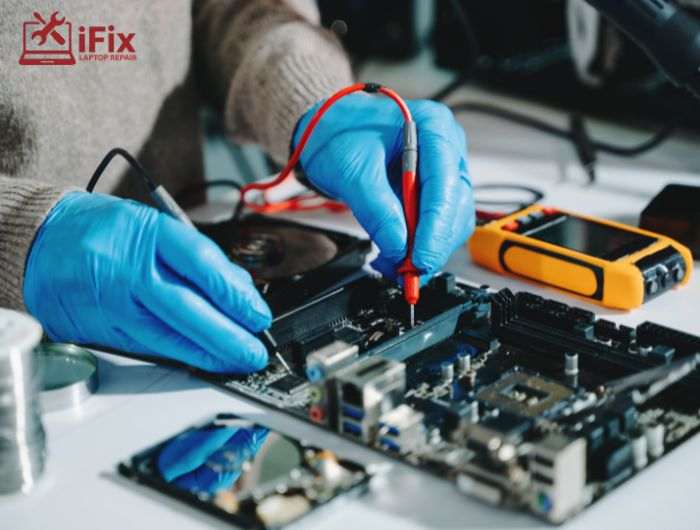
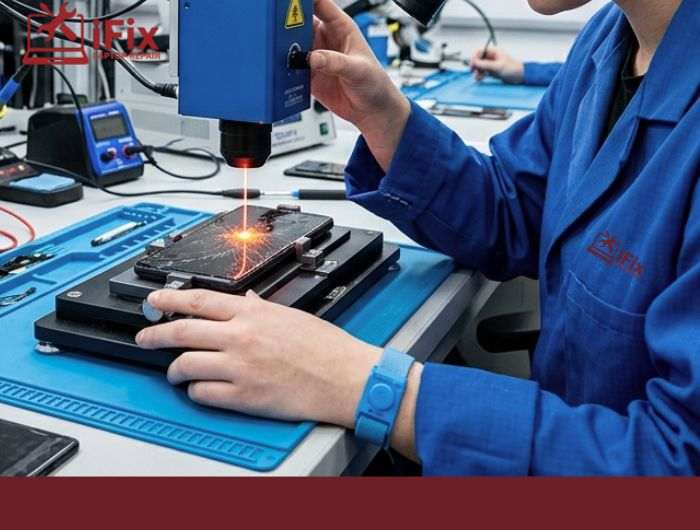
Repair experts follow a structured process for water-damaged motherboard repair:
1. Inspection & Diagnosis
Technicians check for visible damage and test circuits.
2. Ultrasonic Cleaning
Specialized ultrasonic cleaning machines for motherboards safely remove microscopic debris and corrosion.
3. Component-Level Repair
Damaged chips, resistors, or capacitors are replaced.
4. Drying & Testing
The board is dried properly and tested multiple times.
This process is also known as computer liquid damage recovery, and it requires skill and precision.
Factors That Affect Repair Success
Several key factors determine whether your motherboard can be saved:
- Time: The sooner you act, the better
- Type of liquid: Salt and sugar cause more damage
- Power status: Devices left on suffer more damage
- Corrosion level: Advanced corrosion reduces success rates
- Repair quality: Skilled technicians matter
Need expert help right away? Contact Certified Technicians
Repair vs Replacement: What’s Better?
Here’s a quick comparison:
Factor | Repair | Replacement |
Cost | Lower in mild/moderate damage | Higher upfront cost |
Time | Faster | May take longer (parts needed) |
Reliability | Depends on damage | More stable |
Data Recovery | Often possible | May lose data |
Laptop Water Damage Repair Cost: What to Expect
The cost of water-damaged motherboard repair depends on several factors:
Damage Level | Estimated Cost Range |
Minor corrosion | $50 – $120 |
Moderate damage | $120 – $250 |
Severe motherboard damage | $250 – $500+ |
- At iFix, we offer affordable prices without compromising on high-quality repair services you can trust.
Factors affecting cost:
- Type of device
- Extent of corrosion
- Parts replacement needed
- Labor complexity
Compared to full replacement, repair is often the more affordable option.
Why Professional Repair Matters
Choosing the right repair service makes a huge difference. For example, ifixlaptoprepair offers:
- 20+ years of experience
- Certified technicians
- Advanced tools for motherboard corrosion fix
- High-quality original parts
- 90-day warranty on repairs
These factors directly impact whether your device is restored successfully.
Tips to Prevent Water Damage to Your Motherboard
Avoid future damage with these simple steps:
- Keep liquids away from devices
- Use waterproof covers
- Never charge a wet device
- Turn off immediately after exposure
- Seek emergency motherboard repair quickly
Conclusion
Water damaged motherboard repair can often bring devices back to life, but full restoration isn’t always guaranteed. The outcome depends on how fast you act, the type of liquid involved, and the repair quality. Acting quickly and choosing professional help gives you the best chance of saving your device.
FAQs
- Can a water-damaged motherboard work again?
Yes, if repaired quickly before corrosion spreads, minor damage can restore full normal functionality.
- Does putting a device in rice fix motherboard damage?
No, rice only absorbs surface moisture; it cannot remove internal corrosion or liquid residue effectively.
- How long does motherboard repair take?
Repair usually takes 1–3 days, depending on the extent, parts needed, and the technician’s repair process.
- Is repair always cheaper than replacement?
Most times, repairing minor to moderate damage costs less than buying a new motherboard.
- Can all liquid-damaged devices be repaired?
No, devices with severe corrosion or burnt circuits often require full motherboard replacement to function.

