 Skip to content


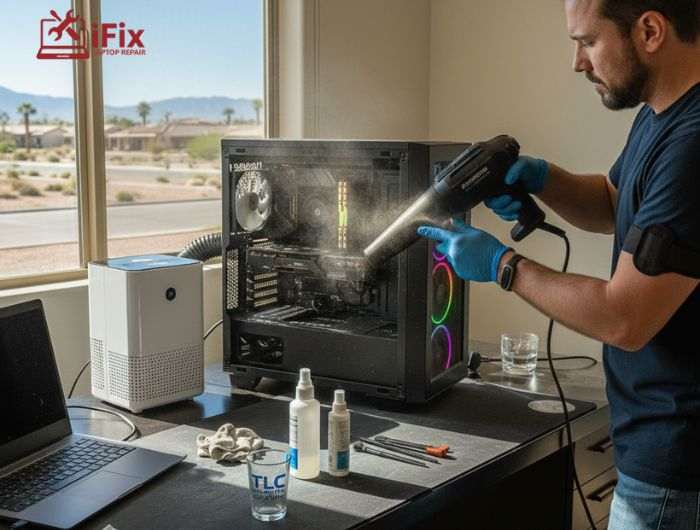
Dust is part of daily life in Las Vegas. The desert air carries fine dust that easily enters homes, offices, and computers. Over time, this dust settles inside PCs, affecting airflow, cooling, and performance. That is why following a proper cleaning schedule and using a trusted PC cleaning service Las Vegas is important, not just for businesses but also for home users.
This guide explains how often PCs should be cleaned, what tasks matter most, and when professional help makes sense.
Why Las Vegas PCs Need Regular Cleaning
Las Vegas has low humidity and frequent wind. These conditions increase airborne dust. Research shows that dusty environments can raise internal PC temperatures by 10 to 20 percent. Higher heat puts stress on internal components such as processors, graphics cards, and fans.
When dust blocks airflow:
- PCs run hotter
- Fans work harder and get louder
- Systems slow down over time
Regular cleaning helps prevent these issues and keeps computers reliable.
PC Cleaning Basics Everyone Should Know
Before looking at schedules, it helps to understand what PC cleaning includes.
A proper professional PC cleaning usually covers:
- External cleaning of screens and keyboards
- Internal dust removal from fans and vents
- Airflow checks
- Basic performance inspection
Many people search for computer cleaning near me only when problems start. However, regular care avoids sudden failures.
Recommended PC Cleaning Schedule for Las Vegas
Below is a simple and practical schedule based on local conditions.
Cleaning Frequency | Homes | Offices |
Monthly | Surface cleaning, vent checks | Surface cleaning, shared device sanitizing |
Every 3 Months | Internal dust removal | Full internal cleaning |
Every 6 Months | Deep maintenance check | Deep maintenance and inspection |
This schedule works well for most users in Las Vegas.
Monthly Cleaning: Simple but Important
Monthly cleaning focuses on visible areas.
What to Do Monthly
- Wipe screens and keyboards
- Clean the mouse and desk area
- Blow dust from vents using compressed air
These steps reduce surface dust but do not remove internal buildup. That is why monthly cleaning should be combined with deeper care later.
Want monthly care handled for you?
A reliable PC cleaning service Las Vegas can manage routine cleaning without disrupting your work.
Quarterly Cleaning: Internal Dust Removal
Every three months, internal dust becomes noticeable, especially in Las Vegas.
A PC dust removal service safely cleans:
- Cooling fans
- Heat sinks
- Internal airflow paths
For offices, quarterly cleaning is even more important. Studies show that businesses with regular PC maintenance face fewer sudden system failures and less downtime.
This is where an office PC cleaning service adds real value.
Biannual Maintenance for Long-Term Health
Twice a year, PCs should receive deeper attention.
This includes:
- Complete internal cleaning
- Fan health checks
- Thermal performance review
A PC maintenance service Las Vegas often includes these steps as part of a long-term care plan. Regular maintenance can extend a PC’s usable life by several years.
How Regular Cleaning Improves Performance
Clean PCs work better in everyday use.
Benefits include:
- Lower operating temperatures
- Quieter fan noise
- Faster response times
- Reduced risk of hardware damage
According to IT maintenance reports, well-maintained computers can last up to 30 percent longer than neglected systems. That makes regular cleaning a smart and cost-effective habit.
When Cleaning is Not Enough
Sometimes, cleaning alone does not fix deeper problems.
You may need repair if your PC:
- Shuts down randomly
- Overheats even after cleaning
- Makes unusual noises
- Runs very slowly
In these cases, professional diagnostics are important.
Not sure if your PC needs repair? Get expert help before small issues turn into costly problems.
Why Many Las Vegas Users Trust iFixLaptopRepair
When it comes to reliable care, iFixLaptopRepair stands out in Las Vegas.
With over 20 years of experience, iFix has worked with thousands of home users and businesses. This long experience helps technicians understand both common and hidden PC issues.
What Makes iFix a Strong Choice
- 20 years of hands-on experience
- Skilled technicians trained on modern systems
- Free diagnostics before any repair work
- Honest assessments with no pressure
- Affordable pricing for homes and businesses
- 90-day warranty on repair services
- Cleaning and repair services under one roof
- Clear communication with practical advice
iFix does more than basic cleaning. Their team focuses on long-term PC health, helping users avoid repeat issues.
Combining Cleaning and Repair for Better Results
Many users wait until something breaks. A better approach is combining regular cleaning with expert repair support when needed.
A trusted PC cleaning service Las Vegas, paired with experienced repair professionals, helps:
- Reduce downtime
- Prevent data loss
- Save money over time
This approach works well for both homes and offices.
Top Tips to Keep Your PC Clean Longer
These simple tips help reduce dust buildup and improve performance between professional visits from a trusted PC cleaning service Las Vegas residents rely on.
- Keep your PC off the floor
- Clean vents with compressed air monthly
- Avoid eating near your computer
- Use dust covers when not used
- Place PCs away from open windows
- Turn off the PC when not needed
- Schedule regular professional PC cleaning
Final Thoughts
Dust is unavoidable in Las Vegas, but PC damage is not. Following a clear cleaning schedule keeps systems cool, quiet, and dependable. Whether you manage a busy office or use a home PC daily, regular care makes a real difference.
Why wait? Contact a trusted local PC cleaning service Las Vegas today and keep your computers running at their best.
FAQs
- What tools are safe for PC cleaning?
Safe tools include compressed air, soft microfiber cloths, and small brushes for vents and keyboards. Avoid liquids, harsh chemicals, or vacuum cleaners directly on components, as they can damage sensitive parts.
- How do I know if my PC needs cleaning?
Signs your PC may need professional cleaning include loud or noisy fans, overheating, slower performance than usual, and visible dust on vents or keyboards. If you notice any of these, it’s a good idea to schedule a professional cleaning.
- Can PC cleaning prevent repairs?
Yes. Regular cleaning helps prevent overheating, dust-related hardware failures, and other common issues. Maintaining a clean PC can save money by reducing the need for costly repairs later.
- How long does professional cleaning take?
For most home PCs, professional cleaning takes about 30–60 minutes. Office setups may take longer depending on the number of systems and the complexity of internal components.
- Is PC cleaning expensive?
Professional PC cleaning is generally affordable. Many services include free diagnostics, maintenance tips, and warranties, making it a cost-effective investment compared to potential repairs caused by neglect.

