 Skip to content






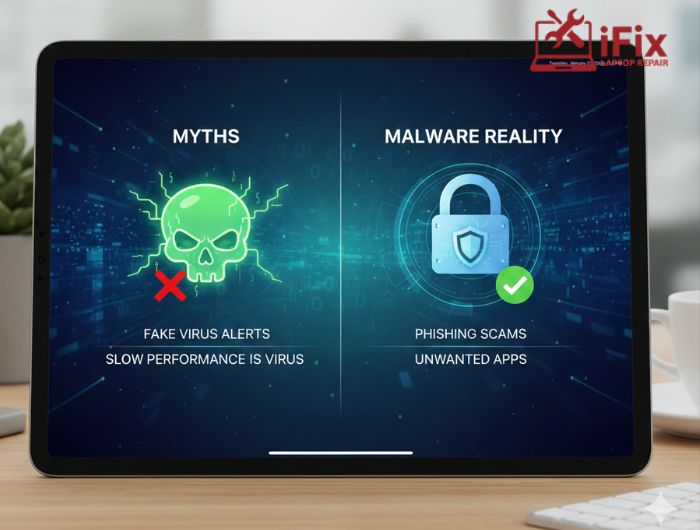
If you use an iPad for work, school, or entertainment, you may have seen a warning that says your device is infected. When that happens, most people feel worried and immediately search for iPad virus removal.
If this has happened to you, don’t panic. In most cases, your iPad is not truly infected. However, that does not mean all threats are fake. Understanding what is real and what is not can help you protect your device and your data.
This guide explains the facts in clear and simple language, so if you ever feel something is wrong with your iPad, you know what it really means.
What Do People Really Mean by an “iPad Virus”?
When people talk about an iPad virus, they are usually describing unusual behavior. This could be pop-ups, slow performance, or apps acting strangely.
In reality, there are different types of threats:
- Viruses, which spread on their own, are almost impossible on iPads
- Malware tricks users into giving access or information
- Phishing steals passwords through fake messages
- Adware shows repeated ads in Safari
Most cases of iPad malware removal involve fixing these issues, not removing a real virus.
How Apple Protects iPads
Apple builds strong security into every iPad. This is why iPads are safer than many other devices.
Some built-in protections include:
- Apps can only be installed from the App Store
- Each app runs separately and cannot access others
- Apple checks apps before allowing them on the store
- Regular security updates are pushed to devices
Apple reported blocking more than 1.5 million risky apps in just one year. This shows how strict the system is.
Can iPads Actually Get Viruses?
The honest answer is no, not in the traditional sense.
However, an iPad infected with malware can still happen if the user is tricked. For example, clicking a fake alert or installing a copied app can cause problems.
This is why iPad virus removal usually means removing unsafe apps, settings, or profiles rather than repairing system damage.
Real Threats That Affect iPad Users
If you use your iPad daily, these are the issues you are most likely to face:
- Fake virus warnings while browsing, which may make you consider virus removal services
- Emails or messages pretending to be Apple
- Fake apps that look real
- Configuration profiles that ask for control
These problems are common and often confuse users into thinking their iPad is broken.
Common iPad Virus Myths: What’s True and What’s Not
Myths | Facts |
Pop-ups mean your iPad is infected | Most pop-ups are fake scare messages from websites, not real system alerts |
iPads need antivirus apps | iPadOS doesn’t allow true system scanning; antivirus apps offer limited protection only |
Slow performance means malware | Storage issues, background apps, or pending updates are far more common causes |
Apple devices can’t get security issues | iPads are secure, but risky downloads and unsafe links can still cause problems |
Safari warnings always mean viruses | Many warnings are browser-based alerts triggered by sketchy websites |
Closing apps removes malware | Force-closing apps doesn’t remove threats; clearing browser data usually helps instead |
Malware can access system files | iPadOS sandboxing blocks apps from accessing core system files |
Public Wi-Fi automatically infects iPads | Wi-Fi alone doesn’t infect devices; problems start with unsafe browsing or downloads |
How iPads Usually Become Vulnerable
If you ever wondered, “How did this happen?” the answer is often simple.
If you:
- Click on unknown links
- Install apps without reviews
- Skip iPadOS updates
- Use public Wi-Fi often
Then your risk goes up. These actions often lead to requests to remove malicious apps iPad users didn’t even realize they installed.
How iPads Usually Become Vulnerable
Most security issues come from everyday habits.
If you:
- Click links without checking
- Install apps with no reviews
- Ignore software updates
- Use public Wi-Fi often
Then the chances of needing to remove malicious apps on iPad users’ devices increase.
Signs Something Might Be Wrong
Some signs deserve attention, while others are normal.
Signs to check:
- Apps you don’t remember installing
- Profiles or VPNs you didn’t add
- Safari opens unknown pages
- Repeated login requests
Normal behavior includes battery drain, updates, or temporary slowdowns.
Do Antivirus Apps Help on iPads?
Antivirus apps on iPads cannot scan the system as they do on computers.
Most of these apps only offer:
- Website filtering
- VPN access
- Warning notifications
When issues go beyond basic settings, professional iPad security repair is a safer option.
Simple Ways to Keep Your iPad Safe
You don’t need advanced skills to protect your device.
- Keep iPadOS updated
- Review app permissions
- Remove unused apps
- Use Face ID or Touch ID
- Turn on two-step verification
These steps reduce the need for future iPad virus removal.
What to Do If You Think Your iPad is Infected
If something feels wrong, start with simple steps:
- Close Safari and clear browsing data
- Delete unknown apps
- Remove unfamiliar profiles
- Restart the device
If problems continue, an iPad software repair service can safely inspect settings and system behavior without risking data.
iPads Compared to Other Devices
- Windows devices face more virus attacks
- Android allows apps from many sources
- iPads are safer but rely on user choices
This is why many users turn to trusted iPad repair services when issues become confusing.
At iFixLaptopRepair, technicians with over 20 years of experience handle iPad software and security problems daily, focusing on safe fixes rather than quick resets.
Can Malware Cause Data Loss?
Yes. Phishing and fake apps can lead to lost photos, contacts, and passwords. If this happens, we offer data recovery services, so don’t worry, you can get your files safely restored.
Recent studies show that over 40% of mobile data breaches happen due to phishing links. Acting early can prevent long-term damage.
Conclusion
In conclusion, iPads are highly secure and do not get traditional viruses, but scams and misleading apps can still cause issues. Most iPad virus removal focuses on removing unsafe apps, settings, or fake alerts rather than fixing system damage. With careful browsing, regular updates, and early action, users can keep their iPads safe and running smoothly.

