 Skip to content

Keeping your computer clean is not just about how it looks. It directly affects performance, lifespan, and long-term repair costs. No matter if you use your PC for work, gaming, or running a small business, dust, debris, and even digital clutter can build up faster than most people realize. At iFixLaptopRepair, we regularly see customers who are surprised by how much smoother and faster their systems run after a professional PC cleaning service las vegas.
In this post, we provide a complete guide to PC cleaning, explain how often your PC should be cleaned, and share practical, budget-friendly cleaning solutions that help prevent costly repairs down the line.
How Dust Affects Your Computer Over Time
Computers rely on airflow to stay cool. When dust builds up, problems start to appear.
- Airflow gets blocked
- Internal temperatures rise
- Performance slows down
- Fans work harder and get louder
- Hardware wears out faster
Even a thin layer of dust on a heat sink can raise temperatures by up to 10 to 15 degrees Celsius. According to Intel, sustained high heat can reduce component life by nearly 50 percent.
Common Signs You Need a Professional PC Cleaning Service Las Vegas
If you’re noticing any of the following, your computer may be overdue for preventive PC maintenance:
- Loud or constantly running fans
- A warm or hot case
- Sudden restarts or shutdowns
- Slower apps and games
- A dusty or electrical smell
- Visible dust near vents
Your PC works like a vacuum cleaner. It pulls in air all day. Homes with pets, carpets, or floor-level PCs collect dust much faster.
→ If your PC is running hot, slow, or loud, it may be time for expert help. Contact us today to schedule professional PC cleaning services and keep your system running smoothly for years.
What a Professional PC Cleaning Service Las Vegas Includes
A proper professional PC cleaning service Las Vegas goes far beyond canned air. At trusted service centers like iFix, a full PC performance cleaning usually includes:
- Internal fan cleaning
- Heat sink and radiator dust removal
- PSU and GPU cleaning
- Vent and filter clearing
- Cable airflow checks
- Thermal paste inspection
- Temperature testing before and after cleaning
If you’re searching for PC maintenance service near me, we are here to help. Our expert cleaning and optimization services keep your system running cooler, quieter, and more reliably, so you can enjoy better performance without the hassle.
Need Virus and PC Dust Removal Service Together?
If your PC feels slow even after physical cleaning, virus and malware buildup may be the cause. Ask about combined virus removal and PC cleaning services for complete protection.
How Often Should You Clean Your PC?
Cleaning frequency depends on where and how you use your PC.
- Home PCs: Every 6 to 12 months
- Gaming PCs: Every 3 to 6 months
- Office PCs: Every 6 months
- Workshops or industrial spaces: Every 2 to 3 months
Regular PC lifespan maintenance can add years to your system’s life.
How To Clean a PC? Two Types of PC Cleaning: Physical and Digital
When people talk about cleaning a PC, they usually mean one thing, but there are actually two equally important types. Physical cleaning focuses on the hardware, while digital cleaning improves the software side. Both play a key role in keeping your system fast, reliable, and long-lasting.
Physical Cleaning (Hardware Maintenance)
Dust, dirt, and grime are silent performance killers. Physical cleaning removes buildup from internal and external components, helping your PC stay cool and run smoothly.
What You’ll Need
- Compressed air
- A microfiber cloth
- Isopropyl alcohol (70 percent or higher)
- A small soft brush
- Screwdrivers for desktop systems
Steps for Safe Physical Cleaning
- Power off and unplug your PC to eliminate any electrical risk.
- Open the case on desktops and inspect fans, vents, and components for dust.
- Use compressed air gently to blow dust out of fans, vents, and the power supply. Keep the can upright.
- Wipe surfaces carefully using a microfiber cloth lightly dampened with isopropyl alcohol.
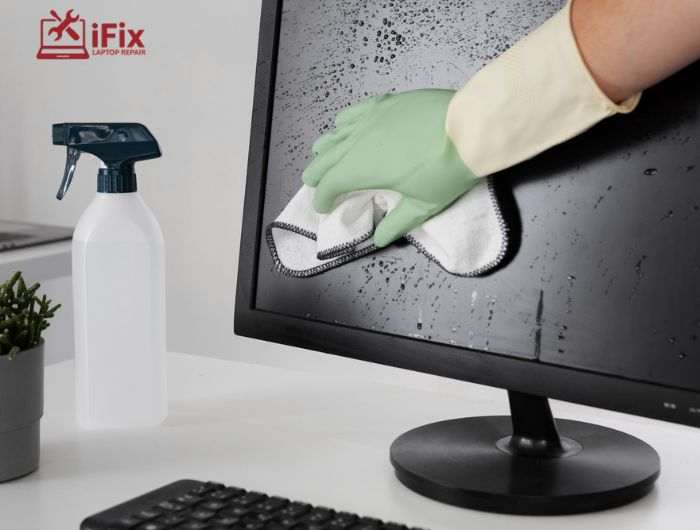
- Clean peripherals like the keyboard, mouse, and monitor, as they collect dirt quickly.
→ If you lack the right tools or experience, trust the professionals. iFix offers affordable PC cleaning with over 20 years of expertise, handling both internal and external maintenance safely.
Digital Cleaning (Software Optimization)
PC cleaning is not just about dust. Digital clutter, such as unused software, temporary files, background apps, and outdated programs that require computer software services, can slow your system down over time.
Steps for Digital Cleaning
- Remove unused programs to free up storage space.
- Clear temporary and duplicate files using built-in tools like Windows Disk Cleanup or trusted utilities such as CCleaner.
- Organize files and folders to improve system responsiveness.
- Disable unnecessary startup programs to speed up boot times.
- Run regular antivirus scans to detect malware and keep your system secure.
DIY Cleaning vs Professional PC Cleaning
Improper DIY cleaning can cause static damage, broken fans, or loose cables. When overheating or shutdowns occur, a professional PC cleaning service Las Vegas is the smarter choice.
Aspect | DIY Cleaning | Professional PC Cleaning |
Safe areas to clean | Keyboard, mouse, vents | Full internal system |
Risk of damage | Moderate | Low |
PSU and GPU cleaning | Not recommended | Safely handled |
Thermal paste | Not advised | Correctly replaced |
Best use case | Light surface dust | Deep internal cleaning |
Why iFix Is the Go-To for Affordable PC Cleaning
At iFix, we make keeping your PC in top shape easy and affordable. With over 20 years of experience, our experts have cleaned and optimized more than 660 PCs, helping gamers, businesses, and home users enjoy faster, more reliable performance.
Why Choose us?
- Over 20 years of experience in PC maintenance and optimization
- Certified, skilled technicians who handle every system with care
- Free diagnostics to catch issues before they turn into costly repairs
- Thorough internal and external cleaning for peak performance
- Helps your PC run cooler, quieter, and more reliably
- Personalized service tailored for gamers, businesses, and home users
We proudly serve Summerlin, Anthem, Downtown Las Vegas, Henderson, Seven Hills, and nearby areas, delivering professional PC care that’s both thorough and budget-friendly.
Final Thoughts
Regular PC cleaning is a simple, cost-effective way to protect your computer. From DIY dusting to professional pc cleaning service Las Vegas, maintaining both hardware and software improves speed, reduces repairs, and extends lifespan.
If you’re in Las Vegas or nearby, iFixLaptopRepair offers reliable, affordable professional PC cleaning services. Contact us today to keep your system running smoothly and like new.

