 Skip to content
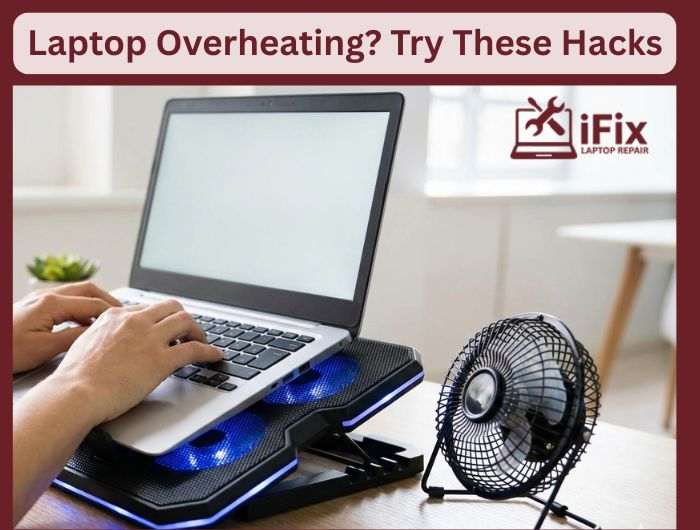
When your laptop overheats, it is very likely that the device will become slow, hot, and even shut down, which is not a good sign. But, instead of going straight to a Laptop repair shop Las Vegas, it might be good to consider the easy laptop cooling hacks first. Such hacks are safe, simple, and can be very effective in getting your laptop cooler and performing better.
Hack 1: Clear the Air Vents Properly
Dust is the biggest enemy of laptop cooling.
- Turn off the laptop and unplug it
- Use compressed air to blow dust out of the side and back vents
- Never use a vacuum directly on vents, as it can cause damage
This quick step often instantly reduces overheating.
Hack 2: Listen to Your Fan
Your fan tells you a lot.
- Loud or nonstop fan noise means heat is trapped
- No fan sound at all may mean the fan is not working
If the fan struggles, internal cleaning may be needed, one of the most effective laptop cooling hacks to keep your device running smoothly.
Hack 3: Change Where You Use Your Laptop
Soft surfaces block airflow.
- Avoid beds, pillows, and couches.
- Use a flat table or desk.
- Place a book or a stand under the back edge to lift airflow.
This simple surface placement hack is one of the most effective laptop cooling hacks, enhancing airflow and keeping your device cool without the need for any tools.
Hack 4: Reduce Heat From Inside
Your laptop heats up when it works harder than needed.
- Close unused apps and browser tabs
- Disable startup programs you do not use
- Lower screen brightness slightly
These small changes reduce CPU load and internal heat.
Hack 5: Use Cooling Tools the Right Way
A laptop cooling pad can help, but only if the vents line up properly.
- Choose a pad with an adjustable fan position
- Keep the laptop centered on the pad
When Hacks Are Not Enough
In case your laptop is still overheating, shutting down, or becoming extremely hot, the issue may be internal. Old thermal paste, dust buildup in the fan area, or a malfunctioning cooling system requires professional laptop repair. Implementing these laptop cooling hacks early provides effective cooling solutions for laptops, helping to prolong your device’s life and prevent costly damage.
| 👉 Get Fast & Reliable Laptop Repair in Las Vegas Today Our experts diagnose and fix overheating issues safely before they cause permanent damage. Book Your Laptop Repair in Las Vegas Now |

