 Skip to content
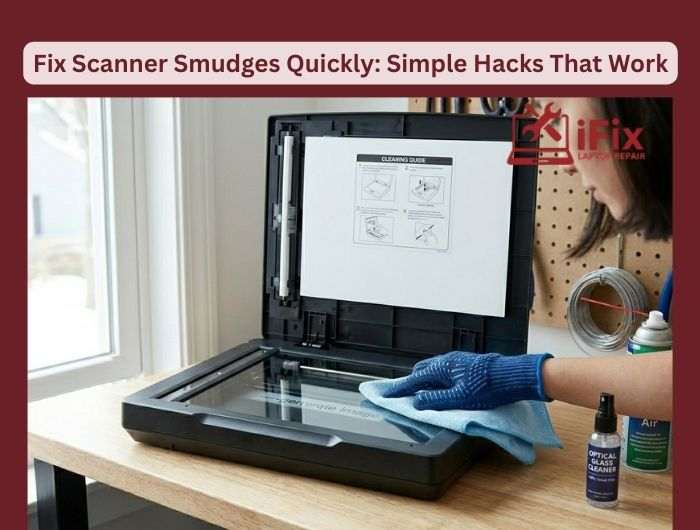
Scanner smudges can ruin your scanned documents, making them look messy or unreadable. These smudges are often caused by dust, fingerprints, or residue on the glass. The good news is that fixing them is easier than you think. With a few simple steps, you can get clear, professional-quality scans in under 10 minutes.
Why Scanner Smudges Happen
Smudges happen for a variety of reasons:
- Fingerprints: Touching the glass directly leaves oily marks.
- Dust and dirt: Small particles settle on the scanner glass over time.
- Residue from cleaning: Using the wrong cleaning materials can leave streaks.
- Paper debris: Tiny fibers from documents can stick to the glass.
Understanding the cause helps prevent smudges in the future.
Quick Hacks to Remove Smudges
1. Use a microfiber cloth
Gently wipe the glass with a clean microfiber cloth. Avoid paper towels, as they can scratch the surface.
2. Try isopropyl alcohol
Lightly dampen a cloth with 70% isopropyl alcohol and wipe the scanner glass. This removes oils and stubborn marks without damaging the glass.
3. Compressed air for dust
Blow away loose dust and tiny debris before wiping. This prevents scratching the glass while cleaning.
4. Check the scanner lid
Smudges sometimes come from the lid. Clean both the glass and the underside of the lid to ensure even scans.
5. Use a lint-free cloth for finishing
After cleaning, buff the glass gently to remove any streaks for a crystal-clear surface.
Prevent Smudges in the Future
- Wash your hands before using the scanner.
- Keep the scanner closed when not in use.
- Clean the glass weekly if used frequently.
- Avoid harsh chemicals or abrasive cloths.
Following these tips will help your scans stay clean, saving time and improving document quality.
Conclusion
Fixing scanner smudges is simple with the right approach. Using a microfiber cloth, mild alcohol, and regular maintenance keeps your scanner glass spotless. Clear scans in under 10 minutes are achievable without professional help.
| If you still face issues or need expert help, our team can assist with professional scanner maintenance and repair. [Contact Us for Professional Help] |

