
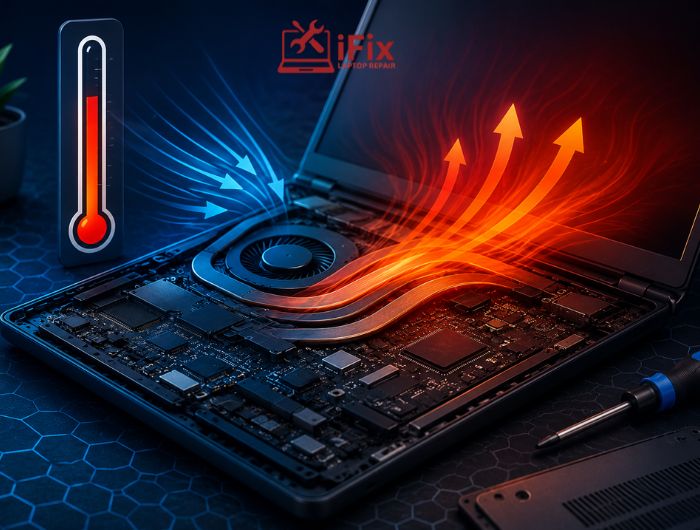
Think your device is slowing down because it’s old? The real problem could be heat. Excessive temperatures can quietly reduce performance, shorten battery life, and put extra strain on critical hardware components. Over time, even occasional overheating can lead to costly repairs or permanent damage if left unaddressed.
Understanding how heat affects your device performance over time is the first step toward preventing these issues. In this 2026 updated guide, you’ll discover why devices overheat, the warning signs to watch for, and practical tips to keep your laptop, desktop, or tablet performing reliably for years.
→ Keep Your Device Running Smoothly
Overheating, slow performance, or unexpected shutdowns? Our technicians can diagnose the problem and recommend the right solution before it gets worse.
Why Does Your Device Generate Heat?
Heat is a natural by-product of electronic devices. As the processor (CPU), graphics card (GPU), memory, and battery work, they consume power and generate heat.
Your device relies on its cooling system, including fans, heat sinks, and ventilation, to keep temperatures within a safe operating range.
Tasks that commonly increase heat include:
- Gaming
- Video editing
- Running multiple applications
- Software updates
- Charging the battery
Quick answer: Devices generate heat because their internal components consume electrical power. Cooling systems remove this heat, but poor airflow or heavy workloads can cause temperatures to rise, reducing performance.
According to Intel, modern processors automatically manage temperature to help prevent overheating and maintain safe operation. This protection helps reduce the risk of permanent hardware damage.
How Does Heat Affect Device Performance?
One of the first ways heat affects device performance is through thermal throttling. This is a built-in safety feature that automatically slows the processor when temperatures become too high.
You may notice:
- Slower application loading
- Reduced gaming performance
- Delayed multitasking
- Video lag
- System freezing
- Unexpected restarts
Thermal throttling protects the processor, but it also reduces overall speed until temperatures return to a safe level.
Which Components Are Most Affected by Heat?
Not every part of a computer reacts the same way to high temperatures. Some internal components are more sensitive than others.
Processor (CPU)
High temperatures cause the processor to throttle performance, affecting overall system responsiveness.
- A well-maintained CPU cooling fan helps keep processor temperatures under control and prevents heat-related performance issues.
Graphics Card (GPU)
Extended gaming or graphics-intensive work can increase GPU temperatures, leading to lower frame rates and instability.
Battery
Heat accelerates battery wear. According to Battery University, exposure to elevated temperatures can permanently reduce lithium-ion battery capacity over time.
Storage Drives
Both SSDs and hard drives perform best within recommended operating temperatures. Excessive heat may reduce reliability over the long term.
Motherboard
Continuous overheating places additional stress on electrical components and solder connections.
If you notice persistent overheating, our laptop overheating repair service can help identify cooling system faults before they become more serious.
What Are the Signs of an Overheating Device?
Knowing the warning signs makes it easier to address problems before they worsen.
Common signs of an overheating computer include:
- Loud or constantly running fans
- Hot keyboard or device casing
- Slow performance
- Random crashes
- Automatic shutdowns
- Screen freezing
- Faster-than-normal battery drain
Occasional warmth is normal, but repeated overheating usually indicates a problem that should be investigated.
Can Heat Cause Permanent Damage?
Yes, prolonged overheating can increase wear on electronic components.
Over time, heat affects device performance by contributing to:
- Faster battery degradation
- Reduced processor efficiency
- Cooling fan wear
- Motherboard damage
- Increased risk of storage failure
- Potential data loss if hardware fails
This does not mean every warm device is damaged. Most computers safely manage normal operating temperatures. Problems typically occur when excessive heat continues for extended periods without proper cooling.
→ Need Help with an Overheating Device?
If your device frequently overheats, shuts down unexpectedly, or becomes too hot to use comfortably, don’t ignore the warning signs. Call us today to schedule a professional inspection
How Can You Prevent Device Overheating?
Fortunately, many overheating problems are preventable.
Here are some simple ways to reduce heat:
- Keep air vents free of dust.
- Use your laptop on a hard, flat surface.
- Avoid blocking ventilation openings.
- Close unnecessary background applications.
- Keep your operating system and drivers updated.
- Clean cooling fans regularly.
- Replace thermal paste when recommended by a technician.
- Use a cooling pad for demanding workloads if appropriate.
These maintenance habits help improve airflow and reduce the likelihood that heat affects device performance over time.
Does Hot Weather Make Overheating Worse?
Yes. High ambient temperatures reduce your device’s ability to release heat efficiently.
You should avoid:
- Leaving devices inside parked vehicles
- Using laptops in direct sunlight
- Operating electronics in poorly ventilated rooms
- Blocking cooling vents while working
Environmental heat adds to the heat already generated by the processor, increasing the chance that heat affects device performance, particularly during demanding tasks.
When Should You Seek Professional Help?
Basic cleaning and software updates solve many overheating issues. However, professional assistance is recommended if:
- Your device overheats while idle.
- The fan runs constantly.
- Shutdowns continue after cleaning.
- You notice a burning smell.
- Performance continues to decline.
- The battery appears swollen.
Professional diagnostics can determine whether the issue involves dust buildup, a failing fan, degraded thermal paste, or another hardware problem.
👉 Need Help With an Overheating Device?
If your laptop or computer is running hot, slowing down, or shutting off unexpectedly, our technicians are here to help. We’ll diagnose the issue and recommend the right repair to keep your device running reliably.
Frequently Asked Questions
Can overheating permanently damage a computer?
Yes. Prolonged overheating can damage internal components and reduce their lifespan.
Is it normal for a laptop to get warm?
Yes. Mild warmth during normal use is expected.
Can dust cause overheating?
Yes. Dust blocks airflow and reduces cooling efficiency.
Does gaming make a computer hotter?
Yes. Gaming places a heavier load on the CPU and GPU, increasing heat.
Can overheating reduce battery life?
Yes. High temperatures can speed up battery wear over time.
Should I turn off my device if it overheats?
Yes. Let it cool before using it again to help prevent further stress on the components.
Conclusion
Understanding how heat affects device performance helps you recognise warning signs before they become serious problems. While some warmth is normal, persistent overheating can reduce speed, shorten the lifespan of internal components, and increase the risk of hardware failure.
Regular maintenance, proper ventilation, and timely repairs can help keep your device performing reliably. If overheating continues despite basic troubleshooting, professional diagnostics can identify the cause and recommend the most appropriate solution.
