
Artificial intelligence has transformed how people write, design, edit videos, analyze data, and automate daily tasks. However, AI software also places greater demands on computer hardware than traditional applications. If your computer feels slow while using AI-powered tools, the right AI hardware upgrades can significantly improve performance without requiring a completely new device.
Understanding which components matter most helps you make smarter upgrade decisions while extending the life of your computer. After all, why ignoring small device issues leads to expensive repairs is a lesson many users learn the hard way, and the same principle applies when aging hardware struggles to keep up with modern AI workloads.
Why Do AI Tools Need More Powerful Hardware?
Unlike standard software, AI applications perform billions of calculations to process prompts, recognize patterns, generate content, and analyze data. These operations require greater computing resources, especially when working with high-resolution images, videos, or locally installed AI models.
Cloud-based AI tools complete most processing on remote servers, but your computer still needs enough RAM, storage speed, and processor performance to run smoothly. Local AI applications place even greater demands on your system because every calculation happens directly on your computer.
- The growing need for better hardware is reflected in industry trends. According to IDC, worldwide spending on AI-centric systems is expected to exceed $749 billion by 2029.
Which Hardware Upgrade Makes the Biggest Difference?
Not every upgrade delivers the same results. The best investment depends on how you use AI software and which component is currently limiting your system.
1. Upgrade Your GPU for Faster AI Processing
A graphics processing unit (GPU) handles thousands of simultaneous calculations, making it ideal for demanding AI workloads.
A GPU upgrade for AI offers noticeable improvements for:
- AI image generation
- Video editing
- 3D rendering
- Local AI language models
- Machine learning projects
Benchmark testing from Puget Systems consistently shows that dedicated graphics cards outperform integrated graphics when handling AI workloads.
2. Increase RAM for Better Multitasking
RAM temporarily stores active files and applications. When memory runs out, your computer begins using slower storage, causing delays and reduced responsiveness.
A RAM upgrade for AI applications helps if you regularly:
- Use multiple AI tools together
- Edit large documents
- Process high-resolution media
- Run coding assistants
- Switch between demanding programs
Recommended RAM
- 16 GB: Everyday AI use
- 32 GB: Professional creators
- 64 GB+: Local AI models and advanced workflows
Need a laptop RAM upgrade? Improve speed and multitasking with our professional upgrade service.
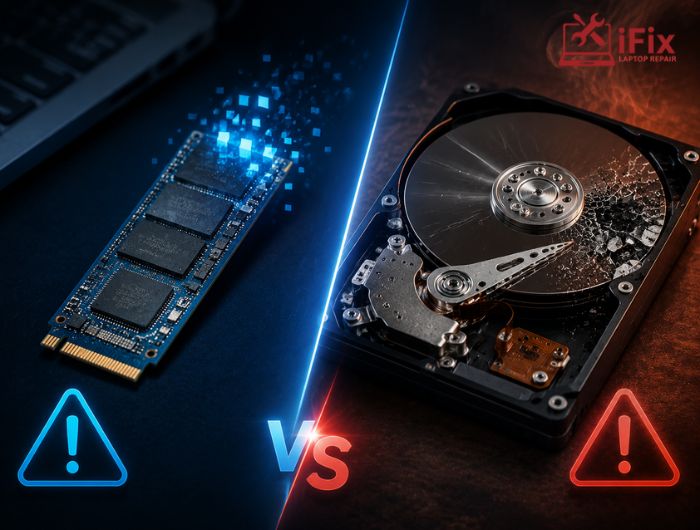
3. Replace an HDD with an SSD
Storage speed affects how quickly your operating system, applications, and files load.
An SSD upgrade for faster performance provides:
- Faster startup times
- Quicker application launches
- Reduced loading screens
- Faster file transfers
- Better overall responsiveness
Although SSDs do not directly increase AI processing speed, they remove delays that interrupt productivity.
4. Upgrade to a Faster Processor
The CPU remains essential for multitasking, data preparation, and coordinating AI software.
A processor upgrade benefits users who frequently:
- Analyze large datasets
- Export AI-generated videos
- Use programming tools
- Run multiple AI applications
- Handle complex workflows
If your processor is several generations old, replacing it can improve overall performance significantly.
5. Improve Cooling for Consistent Performance
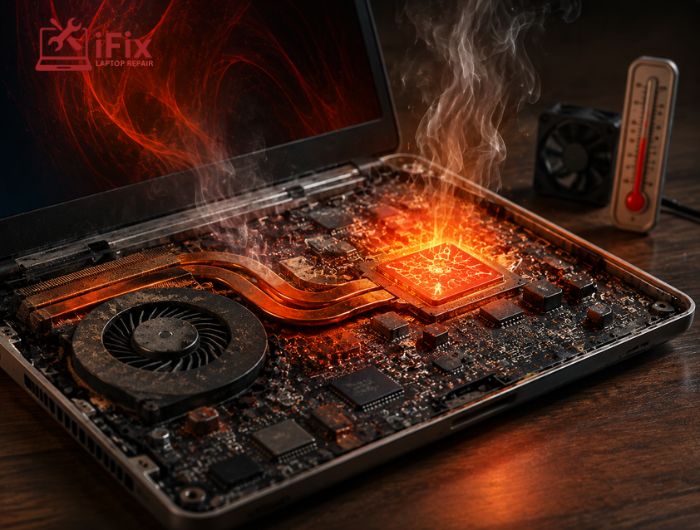
AI workloads often keep your CPU and GPU under heavy load for long periods.
Excessive heat causes thermal throttling, reducing processing speed to protect internal components.
Improved cooling helps maintain stable AI PC performance by:
- Preventing overheating
- Maintaining consistent speeds
- Extending hardware lifespan
- Supporting longer AI sessions
👉 Overheating computer? Restore reliable cooling with our expert CPU fan repair service.
Which Upgrade Should You Prioritize First?
Different AI tasks benefit from different upgrades.
AI Usage | Recommended First Upgrade |
AI writing assistants | RAM |
AI photo editing | SSD + RAM |
AI image generation | Dedicated GPU |
AI video editing | GPU + RAM |
Local AI models | GPU + RAM + SSD |
Before purchasing new hardware, identify your computer’s biggest bottleneck. Upgrading the weakest component usually provides the greatest improvement.
How Much Hardware Do Popular AI Tools Need?
Hardware requirements vary depending on the software.
- AI writing assistants generally perform well with modern processors and at least 16 GB of RAM.
- AI image generators rely heavily on dedicated graphics cards with sufficient VRAM.
- AI video editing applications require powerful GPUs and larger memory capacity for smooth editing and rendering.
- Coding assistants benefit from faster processors and additional RAM for responsive development environments.
- Local AI models typically require high-performance GPUs, substantial RAM, and fast SSD storage.
Always review the software developer’s recommended specifications before upgrading your computer.
Signs Your Computer Needs AI Hardware Upgrades
Your system may benefit from AI hardware upgrades if you notice:
- AI software launches slowly.
- Frequent freezing during AI tasks.
- Long image or video generation times.
- Memory usage constantly near the maximum.
- CPU remains fully utilized.
- Loud cooling fans.
- High operating temperatures.
- Unexpected crashes during AI workloads.
These symptoms often indicate hardware limitations rather than software issues.
→ Experiencing slow AI performance? Let our experts upgrade your hardware for maximum speed and reliability.
Can Older Computers Run Modern AI Software?
Many older computers still perform well with cloud-based AI applications. Installing more RAM or replacing an HDD with an SSD often delivers noticeable improvements.
However, demanding local AI software may require a newer graphics card or processor. If several major components are outdated, replacing the computer could provide better long-term value.
Tips to Improve AI Performance Without Buying New Hardware
Before investing in new components, optimize your existing system by:
- Closing unnecessary background programs.
- Updating graphics drivers.
- Keeping your operating system current.
- Freeing storage space.
- Removing startup applications.
- Monitoring CPU and GPU temperatures.
- Lowering AI output settings when possible.
- Restart your computer after extended workloads.
These maintenance practices improve efficiency without additional hardware costs.
→ Need Expert Hardware Upgrades?
Professional hardware upgrades improve AI performance, reliability, and system lifespan.
Conclusion
The right AI hardware upgrades help your computer handle modern AI applications more efficiently while extending its usable lifespan. Whether you upgrade your RAM, install an SSD, replace your GPU, or improve cooling, choosing upgrades based on your workload delivers the best value. A well-balanced system ensures faster performance, smoother multitasking, and a better overall AI experience.
Frequently Asked Questions
Is a GPU more important than a CPU for AI tools?
Yes. GPUs accelerate demanding AI tasks, while CPUs manage system operations and multitasking.
How much RAM is recommended for AI applications?
Most users need 16 GB, while professionals should consider 32 GB or more.
Does an SSD improve AI performance?
Yes. SSDs improve loading speeds, responsiveness, and overall workflow efficiency.
Can I use AI software without a dedicated graphics card?
Yes, but demanding local AI applications perform much better with dedicated GPUs.
Which hardware upgrade offers the best value?
RAM and SSD upgrades typically deliver the greatest performance improvements for most users.
