
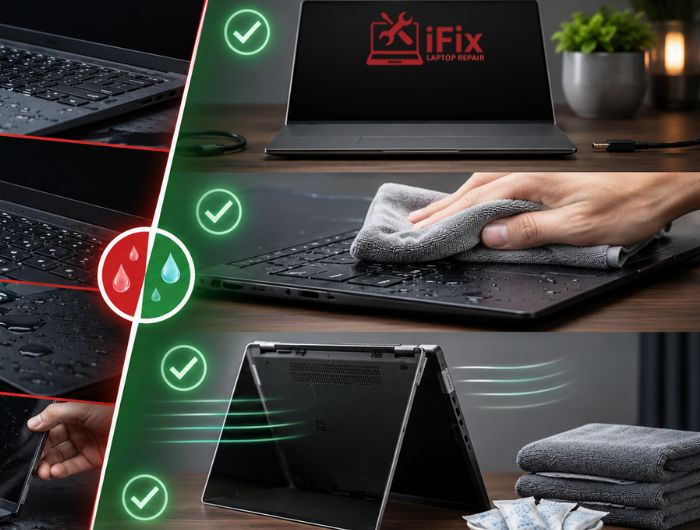
A spilled glass of water, coffee, or soda can turn into a costly repair within minutes. When laptop water damage occurs, most people panic and take actions that unintentionally make the situation worse. While some laptops can recover from liquid exposure, the first few minutes after a spill often determine whether the device can be repaired or suffer permanent failure.
According to research published by the consumer electronics protection industry, accidental liquid spills remain one of the most common causes of device damage claims each year. The risk is not always immediate.
Even if a laptop appears functional after a spill, moisture can continue damaging internal components long after the incident. This guide explains the most common mistakes people make after a spill and what you should do instead to improve the chances of saving your device.
Why Water Damage Is So Dangerous for Laptops
Modern laptops contain densely packed electronic circuits that are highly sensitive to moisture. When liquid enters the device, it can create a short circuit damage event that disrupts electrical pathways. Even after the visible moisture disappears, minerals and contaminants left behind can cause internal component corrosion.
The danger increases when the laptop remains powered on because electricity and moisture are a damaging combination. This is why immediate action matters.
- If you want real examples of laptop and tech issues, you can read our detailed case studies on laptop repair experiences and outcomes.
Mistake #1: Turning the Laptop Back On Immediately
One of the biggest mistakes people make is testing whether the laptop still works after a spill. Even a small amount of moisture inside the device can create a short circuit when power is restored.
What to do instead:
- Shut down the laptop immediately if it is still on.
- Disconnect the charger and any connected accessories.
- Remove the battery if your model has a removable one.
- Leave the laptop powered off until it has been fully inspected and dried.
Mistake #2: Leaving the Charger Connected
If liquid reaches internal circuits while the charger is connected, the risk of electrical damage increases significantly.
Many users focus on removing water while forgetting to disconnect the power source. Continuous power flow can worsen existing damage and increase repair costs.
What to do instead:
- Unplug the charger as soon as it is safe to do so.
- Disconnect docking stations, USB devices, and external monitors.
- Remove any removable battery.
- Keep the device disconnected from all power sources until assessed.
→ Need Professional Laptop Water Damage Repair?
The sooner a water-damaged laptop is inspected, the better the chances of preventing long-term corrosion and component failure.
Mistake #3: Assuming Everything Is Fine Because the Laptop Still Works
A laptop may appear normal immediately after a spill, but damage often develops gradually.
Moisture trapped inside the device can continue affecting circuits for days or even weeks. Corrosion can slowly damage connections, leading to unexpected shutdowns, charging issues, or hardware failure later.
This delayed damage is one reason technicians recommend inspections even when the laptop seems functional.
What to do instead:
- Back up important files as soon as possible.
- Watch for unusual behavior over the following days.
- Monitor charging, keyboard, and display performance.
- Schedule a professional inspection if a significant spill occurred.
Mistake #4: Using a Hair Dryer or Direct Heat
Many people reach for a hair dryer as soon as a spill occurs. While it sounds logical, direct heat can cause additional problems.
Excessive heat may damage delicate internal components, warp plastic parts, or push moisture deeper into the device rather than removing it.
What to do instead:
- Place the laptop in a dry, ventilated room.
- Allow natural airflow to assist drying.
- Keep the device open if possible.
- Avoid heaters, ovens, or high-temperature drying methods.
Mistake #5: Relying on the Rice Myth
A common internet recommendation suggests placing a wet laptop in a container of rice. Rice may absorb some surface moisture, but it cannot remove liquid trapped inside the device.
What to do instead:
- Focus on proper shutdown procedures first.
- Let the laptop dry in a clean, ventilated area.
- Consider professional internal cleaning if liquid enters the chassis.
- Avoid introducing dust or particles into laptop ports.
Mistake #6: Shaking or Tilting the Laptop Excessively
It may seem helpful to shake water out of the device, but excessive movement often spreads moisture further inside.
Liquid can migrate from one area to another, potentially reaching components that were not originally affected.
What to do instead:
- Handle the laptop gently.
- Position it to allow excess liquid to drain naturally.
- Avoid vigorous shaking or flipping.
- Keep movement to a minimum until the device is inspected.
→ Have Questions About Liquid Damage?
Not sure whether your laptop needs repair? Our technicians can evaluate the extent of damage and recommend the most cost-effective solution.
Mistake #7: Waiting Too Long to Seek Professional Help
Time is one of the most important factors after a spill.
Corrosion begins to develop shortly after exposure, especially when sugary drinks, coffee, or other beverages are involved. The longer moisture remains inside the system, the greater the risk of permanent damage.
What to do instead:
- Arrange a professional inspection as soon as possible.
- Inform technicians about the type of liquid involved.
- Back up recoverable data quickly.
- Address symptoms early before damage spreads.
What You Should Do Immediately After a Spill
If you’re wondering how to save a wet laptop before it’s too late, follow these steps:
- Turn off the laptop immediately.
- Disconnect the charger and accessories.
- Remove the battery if possible.
- Gently drain excess liquid.
- Place the laptop in a ventilated area.
- Avoid turning it back on prematurely.
- Seek professional assessment if significant liquid enters the device.
These steps can help reduce the severity of water-damaged laptop repair requirements later.
Signs Your Laptop May Have Hidden Water Damage
Watch for these warning signs after a spill:
- Keyboard keys not responding
- Screen flickering
- Random shutdowns
- Charging problems
- Overheating
- Distorted audio
- Slow performance
These symptoms may indicate moisture-related issues affecting internal circuits.
In severe cases, data recovery after water damage may be necessary if storage components become compromised.
Can a Water-Damaged Laptop Be Repaired?
In many situations, yes.
The success of the repair depends on:
- Type of liquid involved
- Amount of liquid exposure
- Speed of response
- Components affected
- Severity of corrosion
Fresh water generally causes less damage than sugary beverages. Early intervention significantly improves repair success rates and can often prevent complete device replacement.
Whether dealing with wet laptop repair needs or more extensive damage, professional diagnosis provides the clearest path forward.
👉 Need Immediate Help?
If your laptop has been exposed to water, coffee, soda, or another liquid, don’t wait for hidden damage to spread.
Final Thoughts
When laptop water damage occurs, the biggest threat is often not the spill itself but the actions taken afterward. Turning the device on, using direct heat, relying on rice, or delaying professional help can all increase the likelihood of permanent failure.
By acting quickly, disconnecting power, allowing proper drying, and seeking expert assistance when needed, you can improve the chances of saving your device and avoiding costly repairs.
FAQs
How long does it take for water damage to affect a laptop?
Water damage can start immediately, but corrosion and internal issues often develop over several hours or days.
Can a laptop recover from water damage on its own?
No, laptops rarely recover fully on their own because hidden moisture and corrosion continue damaging components.
Does laptop water damage void the manufacturer’s warranty?
Yes, most standard warranties do not cover accidental liquid damage unless you have special protection plans.
What liquids cause the most damage to a laptop?
Sugary drinks, coffee, and soda cause more damage due to sticky, corrosive residue inside components.
