



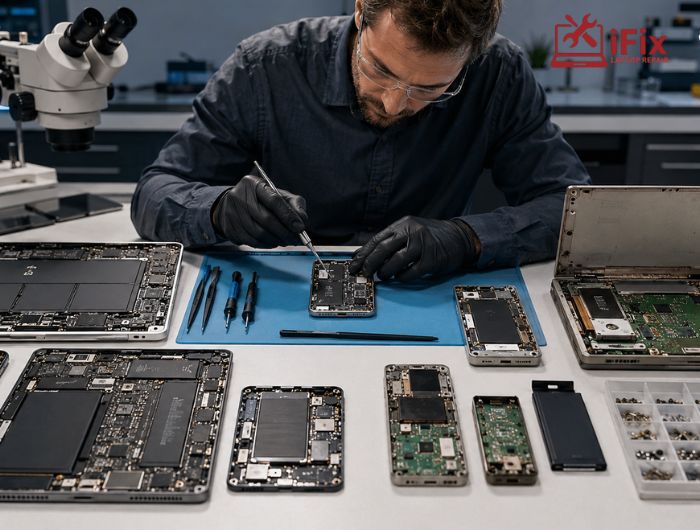


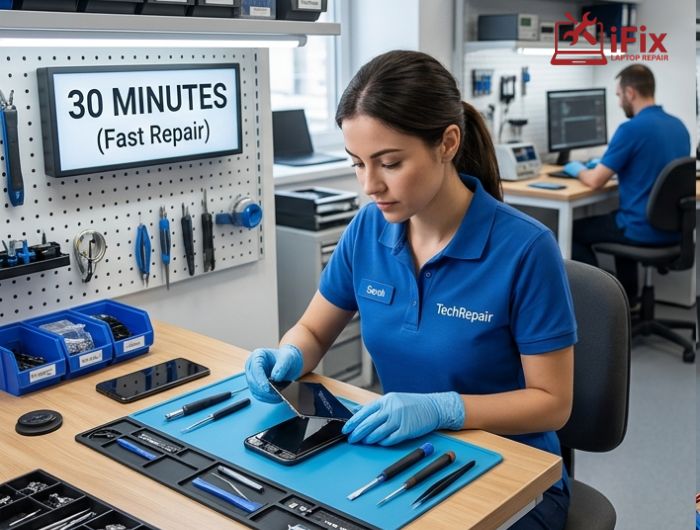
If you have ever visited a repair shop, you have probably wondered why one customer walks out in 30 minutes while another waits several days for an update. The answer usually comes down to repair turnaround time, which depends on multiple technical and logistical factors.
Some repairs are straightforward and predictable. Others involve deep diagnostics, rare replacement parts, hidden internal damage, or extensive testing before the device can safely function again. Whether it is a cracked phone screen, a damaged laptop motherboard, or a water-damaged gaming console, every repair follows a different path.
According to industry repair data from the Open Repair Alliance, more than 441,000 repair attempts were logged globally, showing how diverse and technically complex modern repairs have become.
Understanding what affects repair timelines can help consumers set realistic expectations and make better decisions when choosing professional repair services.
What Determines Repair Time?
Several factors influence repair turnaround time, and most of them are not visible at first glance.
Main Factors That Affect Repair Speed
Factor | Impact on Repair Time |
Type of damage | Minor issues are faster to fix than internal failures |
Device complexity | Modern devices often require advanced disassembly |
Parts availability | Delays happen when components must be ordered |
Diagnostic requirements | Hidden faults take additional testing |
Technician expertise | Experienced technicians often identify issues faster |
Post-repair testing | Devices must be tested before return |
A simple battery replacement may involve only a few steps. A motherboard issue, however, can require hours of inspection, soldering, and stress testing.
The growing complexity of electronics is also changing the repair industry. Research from the consumer electronics repair market shows rising demand for advanced maintenance services as devices become more integrated and sophisticated.
Repairs That Usually Take 30 Minutes to 1 Hour
Not every repair is complicated. Many common issues can be fixed relatively quickly when parts are already in stock, and the damage is isolated.
Common Fast Repairs
- Battery replacements
- Charging port cleaning
- Basic software troubleshooting
- Minor screen repairs
- Fan cleaning and thermal paste replacement
These repairs are often categorized as same-day repair services because technicians already know the repair process and usually keep replacement parts available.
Industry reports show that display-related repairs account for a major percentage of repair requests worldwide. One 2026 market report estimated that screen and display repairs represented more than 30% of electronics repair revenue globally.
Why These Repairs Are Faster
Most quick repairs share a few characteristics:
- The issue is easy to identify
- The damage is limited to one component
- The repair process is standardized
- Parts are commonly stocked
- Minimal testing is required afterward
For example, replacing a phone battery usually does not require advanced diagnostics unless the device also has charging or motherboard issues.
→ Need a Quick Device Check?
Professional diagnostics can often identify small issues before they become major repairs. Early inspections may also reduce long-term repair costs and downtime.
Why Some Repairs Take Several Days
Not all repairs are simple. Some require detailed work that extends repair turnaround time significantly.
Repairs That Commonly Require More Time
Water Damage Repairs
Liquid exposure is one of the most unpredictable repair categories. Even if a device powers on initially, corrosion can continue spreading internally for days.
Technicians often need to:
- Fully disassemble the device
- Clean internal components
- Dry affected circuits
- Test multiple hardware systems
- Replace damaged chips or connectors
Motherboard and CPU Failures
Board-level repairs require specialized tools, micro-soldering, and detailed electrical testing. Unlike screen replacements, these repairs involve tracing microscopic failures across complex circuitry.
This is one reason why repairs take longer for laptops, gaming systems, and premium smartphones with integrated hardware designs.
Data Recovery Cases
When a device contains important files, technicians usually prioritize preserving the data before replacing damaged hardware. That extra caution increases labor time significantly.
Multiple Component Failures
A device that has been dropped, overheated, or exposed to moisture may have more than one failed component. Identifying every issue can extend the timeline.
These cases increase repair turnaround time because technicians must inspect, test, and repair carefully before returning the device.
The Role of Diagnostics in Repair Time
One of the biggest reasons behind longer repairs is the repair diagnostic process.
A technician cannot safely replace components without first understanding the root cause of the failure. Sometimes, a cracked screen is only a symptom of deeper motherboard damage.
Why Diagnostics Matter
Diagnostics play a major role in repair turnaround time.
- Prevents incomplete repairs
- Identifies hidden hardware failures
- Reduces the chance of repeat issues
- Protects customer data and device stability
Advanced diagnostics have become increasingly important in modern repair shops. Industry reports indicate that many professional technicians now use AI-assisted thermal imaging and smart diagnostic systems to identify board-level failures more efficiently.
How Parts Availability Affects Repairs
One major cause of extended repair waiting time is replacement part availability.
A repair shop may identify the problem immediately but still need several days to receive specialized components.
Common Part Delay Scenarios
- Older or discontinued device models
- OEM-only replacement parts
- International shipping delays
- Limited stock during high demand periods
Recent repair industry analysis also highlights growing demand for repairable electronics and longer device lifespans, increasing pressure on parts supply chains.
Common Parts vs Special-Order Parts
Part Type | Typical Availability |
Standard batteries | Usually in stock |
Common phone screens | Often available same day |
Laptop motherboards | May require ordering |
Specialized chips | Often delayed |
Older device components | Harder to source |
Repair Complexity: Simple Fix vs Major Repair
The difference between a quick fix and a multi-day repair often comes down to repair complexity.
A screen replacement usually involves modular components. Board-level failures are far more technical.
Examples of High-Complexity Repairs
- CPU reballing
- Logic board repair
- Data recovery from damaged drives
- Foldable device hinge repairs
- Power management chip replacement
The electronics repair industry has increasingly shifted toward specialized repair work because newer devices are more compact and integrated.
This is also why technicians sometimes need additional testing time even after the repair appears complete.
Can Repairs Be Completed the Same Day?
Yes, but not every issue qualifies for immediate service.
Repairs Often Completed Quickly
- Battery replacements
- Charging port cleaning
- Software updates
- Basic screen replacements
A market analysis of on-demand repair services found that same-day bookings represented over 41% of repair demand in 2025, reflecting strong consumer preference for fast service.
Still, speed depends on technician availability, inventory, and device condition.
How Repair Shops Estimate Timelines
Repair shops typically follow a structured process before providing an estimate.
Standard Repair Workflow
- Initial inspection
- Device testing
- Diagnosis confirmation
- Repair approval
- Component replacement
- Post-repair testing
- Final quality checks
This workflow helps explain average device repair turnaround time expectations for different repair categories.
Skipping any of these steps can increase the chance of repeat failures.
👉 Unsure How Serious the Problem Is?
A professional inspection can identify hidden damage early and help prevent more expensive repairs later.
Tips to Avoid Longer Repair Delays
Consumers can also help reduce delays.
Practical Tips
- Back up important data regularly
- Avoid using damaged devices after impact or liquid exposure
- Seek repairs early before damage spreads
- Choose experienced technicians
- Confirm parts availability before booking
DIY repair attempts can sometimes worsen internal damage, especially in devices with fragile connectors or soldered components.
Signs Your Repair May Take Longer
Some symptoms usually indicate a more complex repair process.
Warning Signs
- Device will not power on
- Burning smell or overheating
- Water exposure
- Random restarts
- Flickering display after impact
- Multiple failing functions at once
These situations often require extensive testing and deeper internal inspection.
Why Quality Repairs Should Never Be Rushed
Fast service is convenient, but rushed repairs can create bigger problems later.
Reliable technicians prioritize:
- Accurate diagnostics
- Proper component installation
- Full device testing
- Long-term stability
A properly repaired device can often continue functioning for years when the repair is completed carefully.
Conclusion
The time required for a repair depends on factors like device complexity, diagnostics, testing, and parts availability. Simple fixes are often completed quickly, while issues such as water damage or motherboard failures need more detailed work.
Understanding repair turnaround time helps customers set realistic expectations and choose professional repair services that prioritize accuracy, reliability, and long-term device performance.
Frequently Asked Questions
Why do some repairs take only 30 minutes?
Minor repairs like battery replacements, software fixes, and basic screen repairs are often straightforward and require fewer diagnostic steps.
What repairs usually take the longest?
Water damage, motherboard failures, and advanced data recovery repairs generally require the most time because they involve detailed testing and component-level work.
Can all screen repairs be completed the same day?
Not always. Same-day service depends on device model, parts availability, and whether additional internal damage exists.
Why does ordering parts delay repairs?
Some replacement components are difficult to source, especially for older or premium devices. Shipping and inventory delays can extend timelines.
Is faster repair always better?
No. A quality repair includes diagnostics, testing, and verification to ensure the issue is fully resolved and the device remains stable afterward.
