
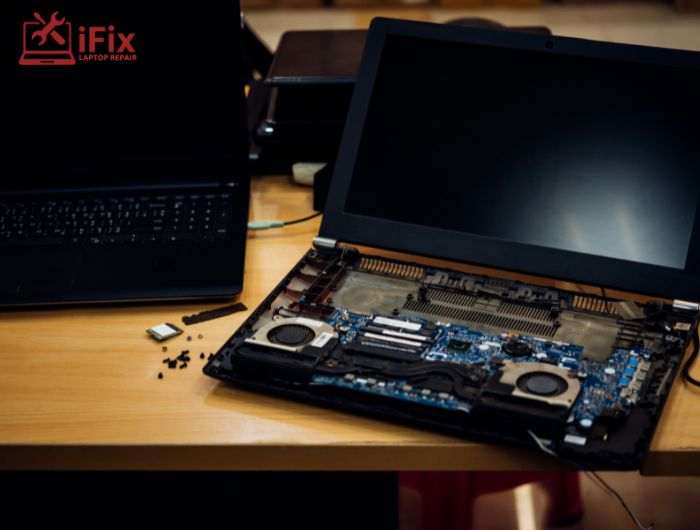
If your device is slowing down, overheating, or shutting off randomly, you’re probably asking the right question: Should you repair old laptop systems or just replace them?
In most cases, the answer is simple: yes, it is worth it to repair old laptop devices, especially when the issue is minor and the cost is reasonable.
Many people assume a 5-year-old laptop is outdated, but that’s not always true. With the right upgrades and repairs, your laptop can easily last a few more years without needing a full replacement.
Still unsure? Let experts guide you.
How Long Do Laptops Usually Last?
On average, laptops last 5 to 7 years, according to data from manufacturers like HP and Dell. Premium models can last even longer with proper maintenance.
A recent report by Statista shows that nearly 60% of users upgrade their laptops not because they fail, but because of performance issues, which are often fixable.
👉 This means choosing to repair old laptop devices instead of replacing them can save you a significant amount of money.
When It Makes Sense to Repair Old Laptop Devices
You should consider repair if:
- The issue is limited (battery, screen, storage)
- The laptop still supports your daily tasks
- The repair cost is much lower than the laptop replacement cost
- You recently invested in upgrades
- You want to avoid data transfer and setup hassle
Many users searching for affordable laptop repair services find that simple fixes restore full functionality.
Don’t replace it yet. Get a professional diagnosis first.
Common Repairs That Extend Laptop Life
A lot of people assume an aging device is “done,” but in reality, a few targeted fixes can bring it back to life. If you’re planning to repair old laptop devices instead of replacing them, these are the upgrades and repairs that make the biggest difference.
SSD Upgrade for Old Laptop
One of the most effective ways to improve speed is switching from a traditional hard drive (HDD) to a solid-state drive (SSD).
Older laptops often feel slow, not because they are outdated, but because HDDs struggle with modern software. An SSD can:
- Reduce boot time from minutes to seconds
- Open applications much faster
- Improve overall responsiveness
In fact, many users report their system feels “like new” after this upgrade. If your goal is to repair old laptop performance issues, this should be your first step.
Battery Replacement
If your laptop only works when plugged in or dies quickly, the battery is likely worn out, not the entire system.
Laptop batteries typically last 2–4 years. Replacing it can:
- Restore portability
- Prevent unexpected shutdowns
- Improve daily usability
This is a low-cost fix and a practical reason to repair old laptop devices instead of replacing them.
→ Need a Battery Replacement?
Don’t let a weak battery slow you down. Get it replaced quickly and safely by professionals.
RAM Upgrade (Memory Boost)
If your laptop slows down when multitasking, like opening many browser tabs or running multiple apps, it may need more RAM.
Upgrading RAM helps:
- Smoother multitasking
- Faster app switching
- Reduced freezing and lag
For students, office users, and content creators, this is a simple way to extend usability without buying new hardware.
Screen Replacement
A cracked, flickering, or dim display doesn’t mean your laptop is finished.
Screen repair is one of the most common fixes and can:
- Restore visual clarity
- Improve productivity
- Make the device usable again
Instead of replacing the whole unit, many users choose to repair old laptop screens at a fraction of the cost.
Need a Screen Replacement?
A damaged screen doesn’t mean you need a new laptop. Get it fixed quickly and bring your display back to life.
Internal Cleaning & Thermal Repair
Over time, dust builds up inside your laptop, blocking airflow and causing overheating.
A professional cleaning and thermal paste replacement can:
- Lower temperatures significantly
- Prevent sudden shutdowns
- Improve performance stability
This is especially important if your laptop heats up quickly or the fan runs loudly.
Should You Repair an Old Laptop or Replace It? Cost Breakdown
Factor | Repair Old Laptop | Buy New Laptop |
Cost | Low to Medium | High |
Setup Time | Minimal | High |
Data Transfer | Not needed | Required |
Performance Boost | Moderate to High | High |
Lifespan Extension | 2–3 years | 5–7 years |
👉 If repair costs are under 40–50% of laptop replacement cost, repair is usually the smarter choice.
→ At ifixlaptoprepair, we offer affordable pricing with high-quality parts and reliable service, so you get maximum value without overspending.
When You Should Replace Instead
Sometimes it’s better not to repair old laptop devices.
Consider replacement if:
- The motherboard is damaged
- Multiple components have failed
- The processor can’t handle modern apps
- It doesn’t support current OS updates
- Repair costs are too high
Can You Upgrade a 5-Year-Old Laptop?
Yes, in most cases, you can upgrade 5-year-old laptop systems easily.
Best upgrades include:
- SSD installation
- RAM expansion
- Thermal cleaning (reduces overheating)
These upgrades are affordable and significantly improve usability.
Why iFixLaptopRepair Stands Out for Quality & Service
Choosing the right service matters when you repair old laptop devices.
ifixlaptoprepair offers:
- 20+ years of experience
- Certified technicians
- 90-day warranty
- High-quality original parts
- Fast turnaround time
This ensures your laptop is repaired properly and lasts longer.
Final Verdict: Is It Worth It to Repair Old Laptop?
Most performance issues are not permanent failures; they’re fixable. With the right approach, you can repair old laptop systems and extend their life by 2–3 years or more.
Instead of spending on a new device, start with a proper diagnosis. Often, a simple upgrade is all it takes.
FAQs
- Is it worth it to repair old laptop devices?
Yes, especially if the issue is minor and repair costs are low compared to replacement.
- How much does a laptop replacement cost?
It varies, but a decent new laptop can cost significantly more than basic repairs or upgrades.
- What is the best upgrade for an old laptop?
An SSD upgrade for old laptop systems offers the biggest performance boost.
- How long can a repaired laptop last?
With proper upgrades, it can last an additional 2–3 years or more.
- Where can I find affordable laptop repair service?
Look for certified technicians with warranty-backed services and transparent pricing.
