
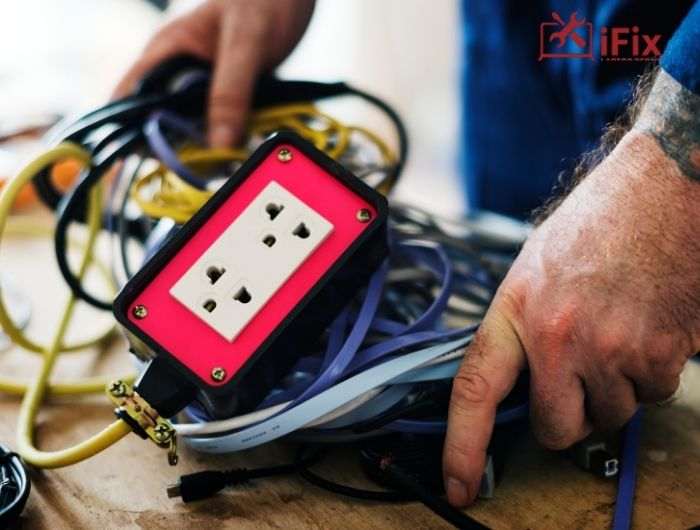
Power surges can happen without warning and cause serious damage to your computers, whether you use a PC or a Mac. In Las Vegas, Power surge repair Las Vegas services are essential because high electricity demand, summer heat, and occasional storms make surges a frequent problem.
Understanding how to respond, prevent, and repair damage is critical for keeping your devices safe. This guide will walk you through everything you need to know about protecting your computers, responding to surges, and the steps to take if your PC or Mac is affected.
What is a Power Surge?
A power surge is a sudden increase in electrical voltage that exceeds the standard level supplied to your home or office. While brief, even a short surge can harm sensitive electronics like PCs and Macs. These voltage spikes can originate from storms, faulty wiring, or when large appliances switch on and off.
Computers are particularly vulnerable because their internal components rely on consistent power. Even small surges can corrupt files, fry circuits, or damage your power supply. That’s why understanding power surge repair Las Vegas is so important for both home and office setups.
→ If your computer recently experienced a power surge, schedule professional computer repair after a power surge today to prevent permanent damage.
Common Causes of Power Surges in Las Vegas
Power surges can occur for several reasons, especially in Las Vegas:
- High electricity demand during summer: Air conditioning and other high-power appliances create spikes.
- Lightning or storms: Even brief thunderstorms can send harmful voltage spikes through power lines.
- Faulty or aging wiring: Older homes or offices may have unstable electrical systems.
- Switching large appliances on and off: Devices like refrigerators and HVAC systems can trigger surges.
Understanding the cause helps you prevent future damage and informs your choices for surge protection.
Protect your devices now with a professional [Surge protector installation service] to safeguard against unexpected spikes.
How Power Surges Damage PCs and Macs
Even short surges can cause lasting damage to your computer. Common issues include:
- Motherboard and circuit damage: Essential components may fail.
- Hard drive or SSD corruption: Data loss can occur if the surge hits storage devices.
- Power supply failure: PCs and Macs may stop turning on or become unstable.
- Peripheral damage: Monitors, printers, and external drives can also be affected.
Las Vegas residents often need specialized PC power damage repair because surges here tend to be sudden and intense.
→ Need expert help? Our PC power damage repair service can restore functionality quickly.
Warning Signs Your Computer Was Hit by a Surge
After a surge, you may notice one or more of the following:
- The computer won’t start
- Frequent crashes or sudden restarts
- Burning smell or unusual noises
- USB devices or external peripherals are not detected
Ignoring these signs can lead to permanent damage. Early detection is key to effective power surge repair Las Vegas.
What Are The Immediate Steps to Take After a Power Surge
If your PC or Mac experiences a surge, act fast:
- Turn off and unplug your computer immediately to prevent further damage.
- Disconnect all peripheral devices, including printers, monitors, and external drives.
- Inspect power cables, adapters, and outlets for visible signs of damage.
- Avoid turning the computer back on until it’s checked for issues.
- Test the power supply or battery carefully if you know how.
- Use a surge protector or UPS for future protection before reconnecting.
- Backup any accessible data as soon as possible to prevent loss.
- Contact a professional for Power surge repair Las Vegas to ensure safe restoration.
Don’t wait! Book a professional Power surge repair Las Vegas to protect your data and devices today.
How to Protect Your PCs & Macs from Future Surges? 6 Smart Ways
Prevention is always better than repair. Here are effective strategies:
- Install a high-quality surge protector to prevent voltage spikes.
- Use a UPS battery backup to maintain computer power.
- Avoid overloading outlets to reduce electrical surge risk.
- Schedule regular maintenance to keep devices and wiring safe.
- Keep computers and peripherals unplugged during storms or outages.
- Ensure proper grounding of electrical circuits in your home.
Investing in preventive measures reduces the risk of costly repairs and lost data. Secure your home or office computers with a reliable UPS battery backup for computer solutions.
Why Choose Professional Power Surge Repair Las Vegas
DIY fixes often fail to address hidden damage. At iFixLaptopRepair, with 15 years of experience, we provide professional services that ensure your devices are fully protected. Our expertise includes:
- Advanced diagnostics to detect subtle issues before they become major problems
- Reliable repairs for motherboards, SSDs, and peripherals
- Surge protection solutions for long-term safety and peace of mind
Conclusion
Power surges are a serious threat to PCs and Macs in Las Vegas. Understanding their causes, identifying warning signs, and taking immediate action is critical. From surge protector installation to UPS battery backup solutions and professional PC power damage repair, proactive steps can prevent costly problems.
Don’t wait until a surge damages your system. Protect your computer today and contact a trusted Power surge repair Las Vegas service to keep your devices safe and functional.
FAQs
- How do power surges damage computers and laptops?
Surges can overload circuits, fry components, and corrupt storage. Even a brief spike can cause permanent damage to your motherboard or SSD.
- Can a power surge destroy a MacBook?
Yes, Macs are sensitive to voltage spikes. A strong surge can damage the logic board, power adapter, or battery.
- How to protect a computer from voltage spikes?
Use a surge protector, UPS battery backup, and avoid overloading outlets. Professional surge protector installation is recommended for maximum safety.
- What to do after a power surge hits your PC?
Turn off and unplug the device immediately. Check for visible damage and contact a professional for power surge repair.
