
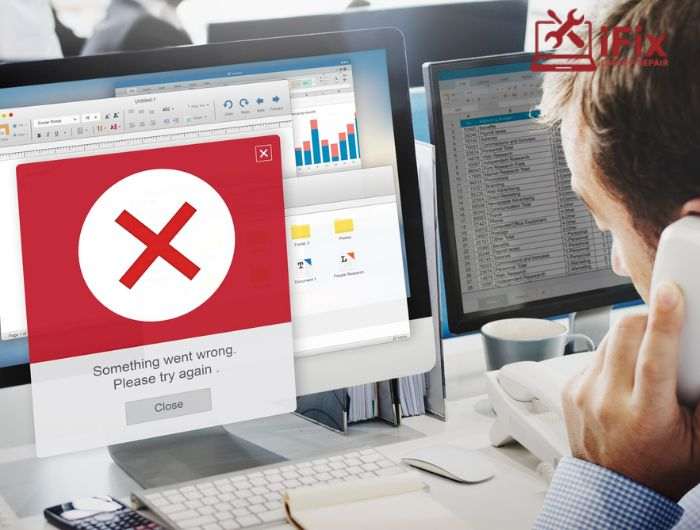
Many PC users try to remove programs themselves, thinking it’s simple. However, DIY attempts often leave leftover files, broken settings, or even malware behind. That’s why computer software repair Las Vegas services are essential. Professionals ensure safe software removal, fix conflicts, and keep your system running smoothly.
If your PC is running slow or showing errors after uninstalling apps, expert help can prevent bigger problems.
What is Safe Software Removal?
Safe software removal service ensures programs are uninstalled completely. It removes all files, registry entries, and hidden processes that DIY methods often miss. Using professional tools and expertise helps:
- Avoid system crashes
- Remove malware hidden in leftover files
- Fix software conflicts PC that stop apps from running properly
- Improve overall performance
Even simple programs can leave behind invisible components that cause long-term problems.
Common DIY Software Uninstall Methods
Many users try easy ways to remove software themselves, but computer software repair Las Vegas experts ensure it’s done safely. Here’s a detailed look at common methods:
Method #1: Using Windows Add/Remove Programs or Mac Applications folder
Users rely on built-in OS tools, but these often leave hidden files or registry entries behind, causing future issues.
Method #2: Dragging apps to the trash or recycle bin
Simply moving an app to the trash seems easy, but it rarely removes related files or settings completely.
Method #3: Running random uninstallers from the internet
Free uninstallers can be dangerous. Many are unverified, carry malware, or fail to remove all program remnants.
Method #4: Manual deletion of folders or files
Users sometimes try to delete files themselves, which can accidentally remove important system files and break applications.
Method #5: Ignoring prompts during uninstallation
Some users skip optional prompts for leftover files. This leaves incomplete removal and potential conflicts behind.
Method #6: Using outdated uninstallers
Old uninstall programs may not recognize new software versions, leaving files and settings behind that cause errors.
These methods may seem easy, but they often leave hidden files or registry errors, leading to future issues.
Risks of DIY Software Removal Mistakes
Leftover Files & Registry Errors
Incomplete removal can slow your PC and cause conflicts with other programs.
Accidental Deletion of Important Files
Deleting the wrong file can break other apps or Windows functions.
Malware & Security Risks
Fake uninstallers or downloads can infect your PC. A trusted computer software repair Las Vegas team ensures safe removal.
Performance Issues
Residual files or errors can make your PC running slow software issue worse, affecting daily use.
Benefits of Safe Software Removal
Using professional services offers clear advantages:
- Full program removal with no leftover files
- Resolving hidden software conflicts PC
- Reducing risk of malware and errors
- Improving system speed and stability
- Access to data recovery services if something important is lost
Tools and Methods for Safe Software Removal
Method | What It Does | When to Use |
Built-in OS Tools | Windows or Mac utilities remove standard programs | For simple apps |
Professional Uninstaller Software | Scans for leftover files and registry entries | For complex or stubborn software |
Expert Support | Complete cleanup and troubleshooting | When DIY fails or risks data loss |
Using professional tools prevents mistakes that DIY removal can cause.
Step-by-Step Guide for Safe Software Removal
- Back up important files
Always back up documents, media, and software settings before starting software removal to prevent accidental data loss.
- Use OS utilities or trusted uninstaller software
Rely on built-in tools or verified uninstaller programs to remove software completely without leaving hidden files.
- Scan for leftover files and registry entries
Use professional tools to detect and remove all remaining files and registry entries after uninstallation.
- Restart your PC
Restarting ensures temporary files and memory caches are cleared, completing removal and stabilizing system performance.
- Run an antivirus or malware scan
Always scan the system after removal to ensure no malicious files remain and your PC is safe.
- Verify application settings and functionality
Check other programs for conflicts or errors to confirm that software removal did not affect system stability.
- Schedule regular maintenance checks
Periodically review installed software, updates, and PC cleanup routines to maintain performance and prevent future issues.
Top 7 Mistakes Users Make When Uninstalling Software
- Don’t delete files manually from system folders
- Avoid untrusted uninstallers from unknown websites
- Don’t skip restarting your PC after uninstalling
- Never ignore leftover component warnings or error messages
- Removing active programs while they’re running
- Skipping antivirus scans after removal
- Not backing up important files before uninstalling
Common Software Problems and How Professionals Help
Software Problem | How Professionals at iFixLaptopRepair Help |
Broken system files | Windows software repair restores and fixes essential system files safely |
Apps are crashing or won’t open | PC software troubleshooting identifies and resolves problematic programs |
Software conflicts are causing errors | Fixing software conflicts, PC ensures apps run smoothly without errors |
Slow performance from leftover programs | Removing leftover or corrupted programs to improve PC speed and stability |
General PC issues | Professional PC repair services maintain long-term stability, security, and performance |
8 Easy Ways to Stop Software Problems at Home
Even after removal or repair, prevention matters. Here are 8 simple tips:
- Keep your operating system updated regularly
- Install apps only from trusted sources
- Use strong, unique passwords for accounts
- Back up important files to secure storage
- Enable firewall protection on your PC
- Avoid clicking suspicious links or attachments
- Use trusted antivirus and security software
- Restart your system after installing or removing programs
These habits reduce errors and keep your PC running smoothly.
Why Timely Software Repair is Important
Delaying software fixes often leads to:
- Crashes or slowdowns
- Corrupted files or lost data
- Hidden malware infections
Using computer software repair Las Vegas quickly fixes these issues, saving time, money, and stress.
Get Expert Help with iFixLaptopRepair Today
DIY software removal can seem easy, but it often causes more problems. Trust iFixLaptopRepair for full computer software repair Las Vegas with over 20 years of expertise.
We offer:
- Safe software removal service
- Windows software repair and troubleshooting
- Fix software conflicts PC
- Get professional data recovery services for lost files
Get your PC fixed properly, protect your data, and keep your system fast and secure. Contact iFixLaptopRepair today for professional help.
