

If your laptop feels slow, overheats, or behaves oddly, you are not imagining things. In 2026, malware is smarter than ever. Many users now search for a professional laptop malware removal in Las Vegas because modern threats no longer show clear warning signs. They hide quietly, learn how you use your device, and strike when you least expect it.
Laptops are a top target because they store personal photos, work files, passwords, and payment details. Even careful users can get infected through fake updates, unsafe downloads, or email links. This makes awareness and early action more important than ever.
What is AI Malware in Simple Words?
AI malware laptop threats are programs that can adjust their behavior. Instead of following one fixed pattern, they change how and when they act.
In simple terms, this type of malware can:
- Watch how you use your laptop
- Learn which apps you trust
- Stay hidden during security scans
- Activate only at certain times
According to recent ResearchGate reports, nearly 70 percent of new malware now uses behavior-based methods, not simple virus code. That is why many infections go unnoticed for weeks.
How AI is Changing Malware Development
Malware used to be written once and sent out. Today, it can change itself. AI allows harmful programs to learn from how you use your laptop. For example, it may wait until you open your banking app or log into work tools.
Another big issue is speed. AI-based malware can change much faster than older threats. What once took weeks now takes hours. This also lowers the skill needed to create malware. More people can now launch attacks, which increases the risk for everyone.
This is why computer virus removal Las Vegas experts now deal with more advanced threats than before.
→ Virus Removal Help Available
If your device shows warning signs, trusted Laptop virus removal Las Vegas services can scan deeply and remove threats that regular antivirus tools often miss.
Key Characteristics of AI-Powered Malware
AI malware behaves differently from old viruses. Here are the main traits explained simply:
- Self-learning behavior: It watches what you do and adjusts. For example, it may stay quiet while you work and act later.
- Real-time decisions: It can decide when to steal data or spread.
- Environment awareness: It checks your location, usage habits, and even security tools.
- Stays hidden longer: It avoids actions that trigger alerts.
Because of this, advanced malware removal often requires tools beyond basic antivirus software.
Types of AI Malware Targeting Laptops in 2026
Discover the latest AI malware targeting laptops in 2026, including ransomware, phishing, credential theft, and fileless attacks.
1. Adaptive Ransomware
This ransomware changes its behavior. It may lock files when you least expect it. It can even adjust ransom amounts based on your data.
It targets personal files, cloud folders, and backups. Ransomware laptop removal has become one of the most requested services in repair centers.
2. AI-Generated Phishing Malware
These attacks look very real. Emails and messages match your writing style or interests. Attachments seem safe, but deliver malware quietly.
3. Malware Masquerading as AI Software
Fake AI tools are a big problem. Some pretend to be writers, editors, or image apps. Once installed, they act as trojans. This often leads to infected laptop repair needs.
4. Credential-Stealing AI Malware
This malware learns how you log in. It watches your typing habits and steals credentials without clear signs. It targets browsers, password managers, and saved logins.
5. Fileless AI Malware
This type runs in memory instead of storage. It leaves little trace. Many users need professional laptop malware removal Las Vegas to detect it.
Why Laptops Are the Main Target
Laptops are used everywhere. At home, at work, and on public Wi-Fi. This constant movement increases risk.
Common reasons laptops get infected:
- Delayed system updates
- Reused passwords
- Unsafe downloads
- Public networks without protection
Recent data shows that over 74% of malware attacks now begin on personal laptops, not office systems.
This growing risk has increased demand for laptop security repair Las Vegas services that fix both software and system weaknesses.
How AI Malware Avoids Detection
AI-based malware does not rush. It waits and observes first.
It may:
- Stop running during scans
- Hide inside trusted apps
- Activate only at night
Disable security tools quietly
Because of this, many users need professional laptop malware removal in Las Vegas instead of basic antivirus cleanup.
Secure Your Device Now
A reliable laptop virus cleanup service removes unsafe programs, restores system settings, and installs proper protection to reduce future risk.
Warning Signs Your Laptop May Be Infected
Watch for these signs:
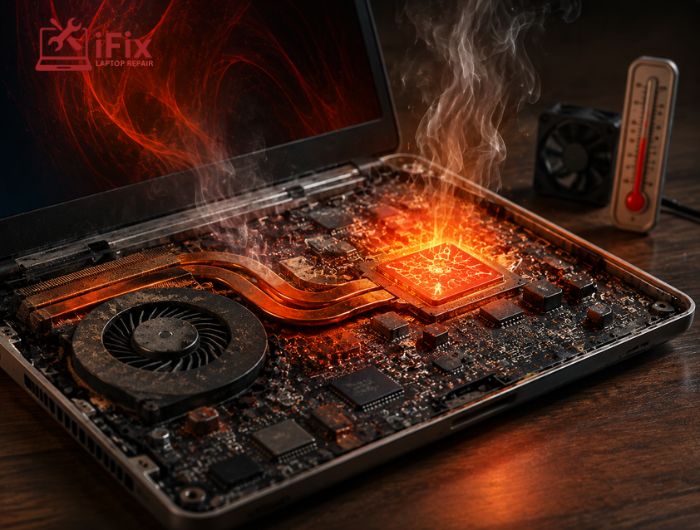
- Sudden slowdowns or overheating
- Random crashes or freezes
- Unusual network activity
- Security tools are turning off by themselves
- Pop-ups or permissions you did not allow
If you notice more than one sign, seek computer repair services in Las Vegas to support you quickly.
Practical Steps to Protect Your Laptop in 2026
a. Use Advanced Security Tools
Choose tools that understand modern threats. AI malware laptop protection requires smarter detection.
b. Keep OS and Firmware Updated
Updates fix weak spots. Skipping them gives malware an easy path.
c. Be Cautious With AI Tools and Downloads
Only install software from trusted sources. If a tool promises too much, it may be fake.
d. Strengthen Authentication
Use strong passwords and multi-factor login wherever possible.
e. Regular Backups and Encryption
Backups protect you even if malware strikes. Laptop data protection repair services often help recover lost access.
What to Do If You Suspect Malware
- First, disconnect your laptop from the internet. This limits further damage.
- Next, avoid random fixes found online. These can make infections worse or erase data.
Instead, seek expert laptop malware removal in Las Vegas to identify the threat correctly and remove it safely.
How iFixLaptopRepair Supports Laptop Security
iFixLaptopRepair provides detailed system checks, safe malware removal, and performance recovery.
Their services include:
- Deep malware diagnostics
- Fileless and AI malware cleanup
- System speed restoration
- Security setup and guidance
- Data protection checks
Many users turn to iFixLaptopRepair for reliable laptop malware removal Las Vegas services after basic tools fail.
Contact Us Now
If your laptop feels unsafe or slow, contact iFixLaptopRepair today for trusted local support.
The Future of AI Malware and Laptop Security
AI malware will keep evolving after 2026. Threats will become quieter and smarter. This makes user awareness just as important as tools.
Professional laptop security repair in Las Vegas will play a bigger role as threats grow harder to spot.
Conclusion
AI malware is no longer a future risk. It is here now. Laptops are the main targets because they hold everything we value.
Prevention, awareness, and timely help matter more than ever. With smart digital habits, reliable laptop repair services, and expert support like laptop malware removal Las Vegas services, users can stay protected, secure, and confident in 2026 and beyond.
